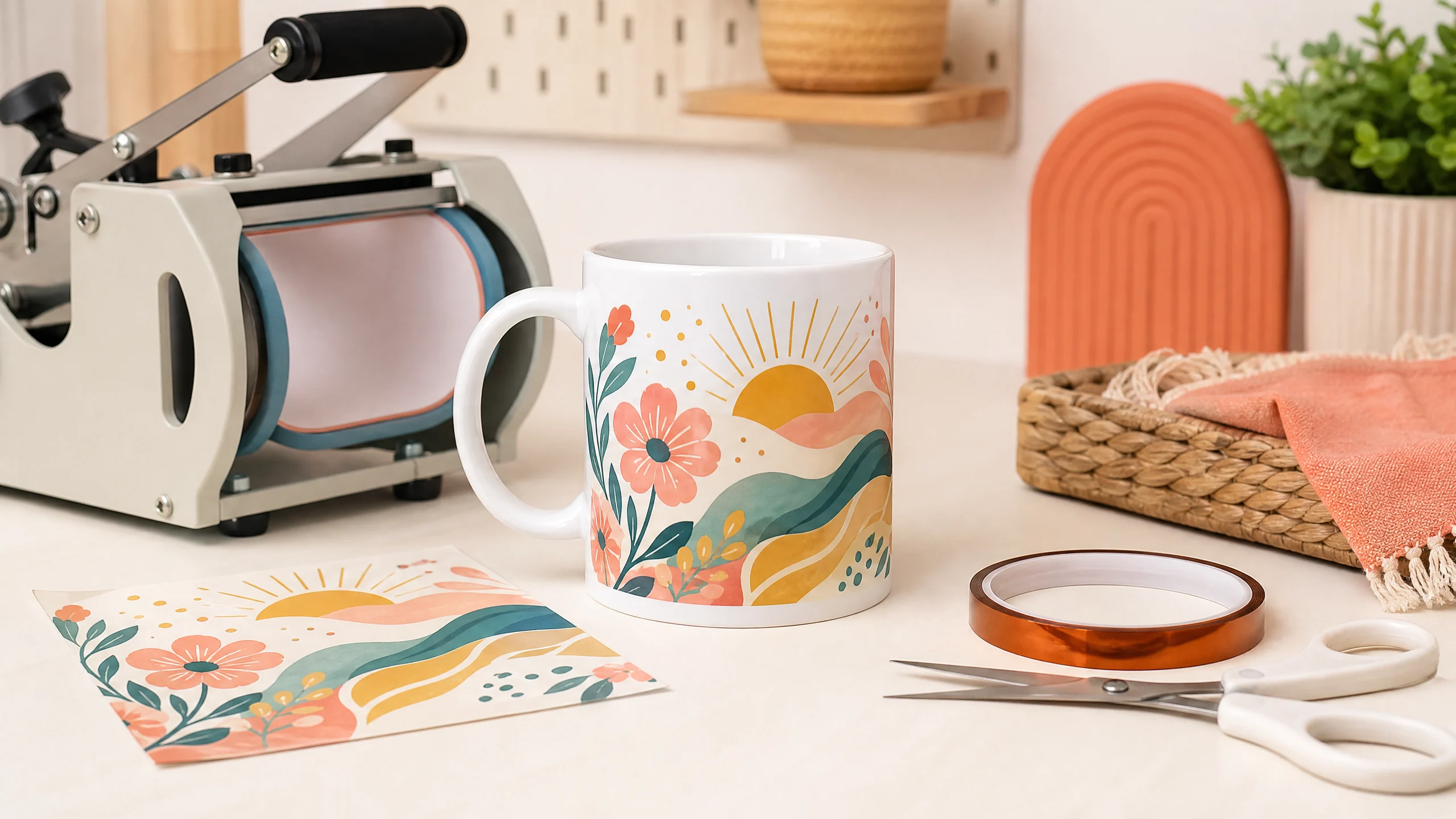
Making a personalized ceramic mug is one of the best beginner sublimation projects. The supplies are simple, the finished product makes a great gift, and a well-pressed mug can become a profitable item for a small crafting business.
In this guide, you’ll learn how to sublimate a mug from start to finish. We’ll cover the supplies you need, how to prepare and print your design, how to wrap the transfer, starting time and temperature settings, and the most common mug sublimation problems.
Quick answer: Use a white, polymer-coated sublimation mug, mirror your design, tape the transfer tightly, and press according to the blank and mug-press manufacturer’s instructions. As a general starting range, ceramic mugs are commonly pressed at 350–400°F (180–205°C) for 150–300 seconds with medium pressure. Always test one mug first.
What Is Mug Sublimation?
Sublimation is a process that uses heat to turn specially formulated dye into a gas. The gas bonds with a compatible polymer coating on the mug and becomes part of the surface rather than sitting on top like a sticker or vinyl decal.
That is why a proper sublimation blank matters. A regular ceramic mug usually will not produce the same vibrant, durable result because it does not have the required polymer coating.
If you are completely new to the process, start with our Sublimation for Beginners guide, then use this tutorial as your mug-specific workflow.
Supplies You Need to Sublimate a Mug
Gather these supplies before you begin:
- White, polymer-coated 11 oz or 15 oz sublimation mug
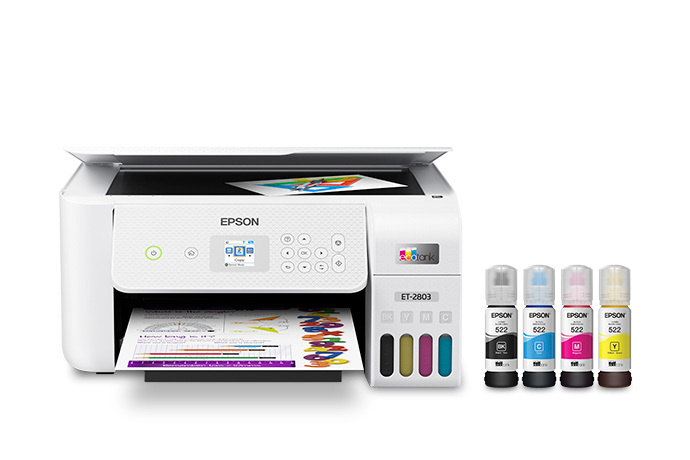
- Sublimation printer and sublimation ink
- Sublimation paper
- Mug press or compatible drinkware press
- Mug design sized to fit your blank
- Heat-resistant tape
- Lint-free cloth
- 90% or higher isopropyl alcohol
- Heat-resistant gloves
- Butcher paper or protective paper, if recommended by your press or blank manufacturer
- Scissors or a paper trimmer
For consistent results, choose a mug blank with a smooth, even coating. A low-quality coating can cause faded color, patchy coverage, or inconsistent results even when your printer and press are working correctly.
For more equipment guidance, see our Epson Sublimation Printer Settings guide and Best Sublimation Heat Press Settings guide.
How to Sublimate a Mug: Step-by-Step
1. Choose the right mug blank
Select a mug specifically labeled for sublimation. White mugs are the easiest choice because sublimation ink is transparent, so the mug’s color affects the final design.
Check the blank’s recommended pressing instructions before creating your design. Some mugs are designed for a standard mug press, while others may work better in a convection oven or a different type of drinkware press.
2. Create and size your design
Create your artwork at approximately 300 DPI and size it for the printable area of your mug. Leave a small margin near the handle and the top and bottom edges unless your blank is designed for full-bleed coverage.
Choose high-contrast colors and avoid placing very small details too close to the edges. A simple, bold design is often easier to press successfully than a crowded design with tiny text.
If you want a ready-to-use graphic for a mug project, browse the Sublimation Co. tumbler wraps and sublimation designs.
3. Mirror the design before printing
Mirror the artwork horizontally before printing. This is especially important for names, dates, quotes, and logos. The design will be transferred face down, so mirroring ensures the finished mug reads correctly.
Print on the correct side of the sublimation paper using the ink and paper settings recommended for your printer. If you use an Epson setup, review our guide to Epson sublimation printer settings before printing.
4. Trim and clean the mug
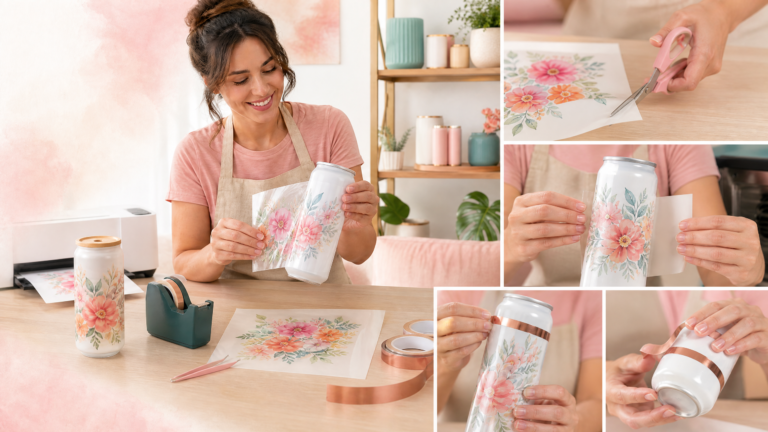
Trim away excess paper around the transfer, leaving enough room to tape it securely. Do not cut directly through important artwork.
Before applying the transfer, wipe the mug with a lint-free cloth and a small amount of 90% or higher isopropyl alcohol. This removes dust, oils, and fingerprints that can create tiny white spots or uneven areas.
Let the mug dry completely before taping the transfer in place.
5. Wrap the transfer tightly around the mug
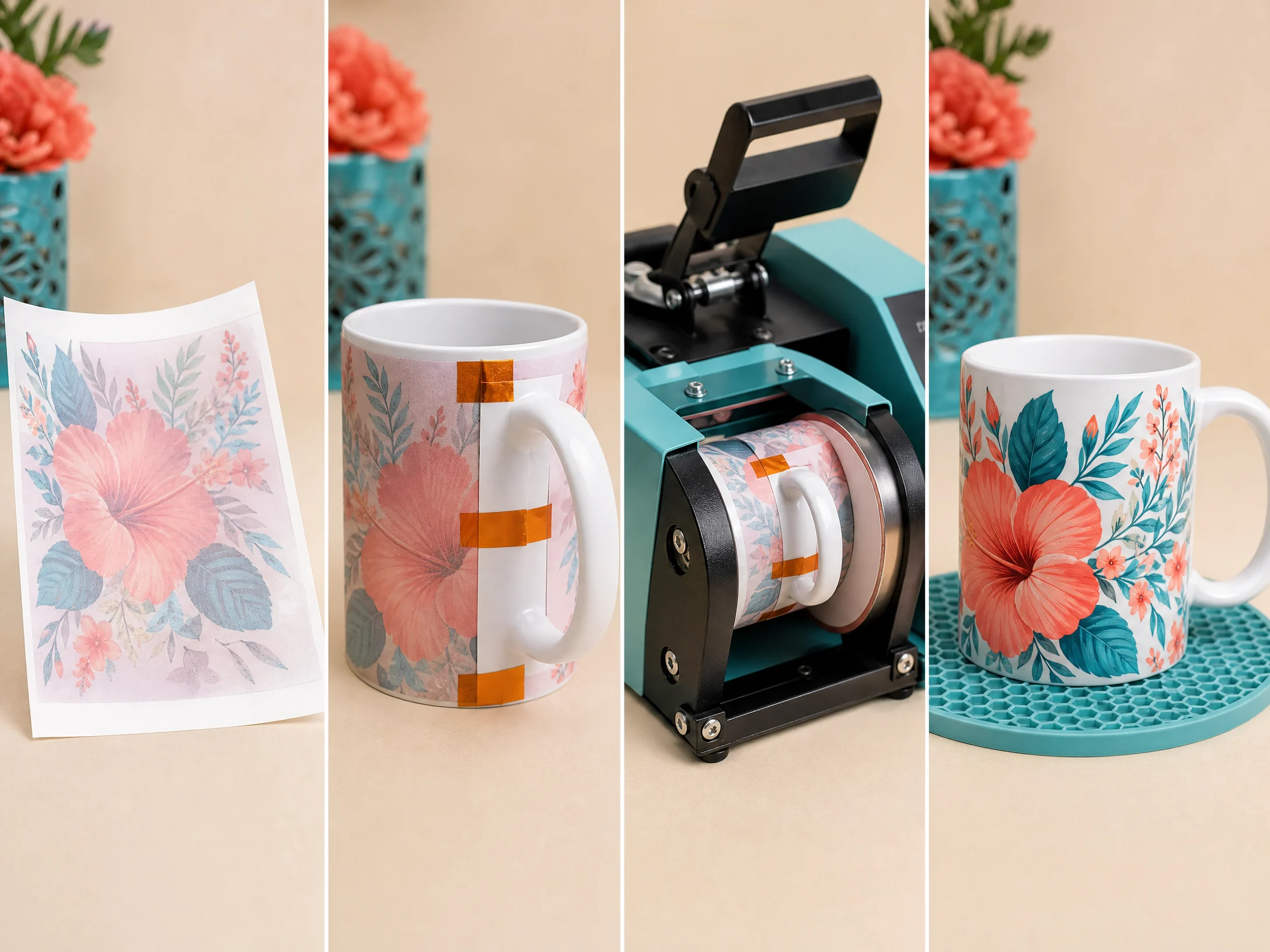
Place the printed side of the transfer against the mug. Center the design and make sure the paper is smooth against the coated surface.
Use heat-resistant tape to secure the transfer tightly. Tape both ends and add additional tape wherever the paper could lift or move. Loose paper is one of the most common causes of ghosting and blurry images.
6. Press the mug
Preheat the mug press according to the instructions for your blank and equipment. Place the taped mug into the press, make sure the handle is positioned safely, and apply the recommended pressure.
A practical starting range for many ceramic sublimation mugs is shown below. These are not universal settings, so test before producing a batch.
Sublimation Mug Temperature and Time Chart
| Mug or workflow | Starting temperature | Starting time | Pressure | Notes |
|---|---|---|---|---|
| 11 oz ceramic sublimation mug | 350–400°F / 180–205°C | 150–300 seconds | Medium | Follow the blank manufacturer’s recommendation first |
| 15 oz ceramic sublimation mug | 350–400°F / 180–205°C | 150–300 seconds | Medium | Larger mugs may need a slightly different fit or cycle |
| Mug press with a brand-specific preset | Use the preset | Use the preset | Per equipment guide | Confirm that the preset matches your blank |
| Convection-oven workflow | Follow blank and wrap instructions | Follow blank and wrap instructions | Not applicable | Use only equipment and wraps rated for this process |
Sawgrass lists 350–400°F, 150–300 seconds, and medium pressure as a general starting range for ceramic mugs in its Sublimation Heat Press Settings guide. Its ceramic mug tutorial also emphasizes using a quality polymer-coated blank, securing the transfer tightly, and testing the exact combination of mug, paper, ink, and press.
Do not assume that the setting that works for one brand of mug will work for another. Coating, wall thickness, press calibration, paper, ink, and room conditions can all affect the finished result.
7. Remove the paper and cool the mug safely
When the cycle is complete, put on heat-resistant gloves and remove the mug carefully. Take off the transfer promptly if your blank manufacturer recommends immediate removal, then place the mug on a heat-safe surface.
Avoid touching the mug with bare hands while it is hot. Do not place a hot ceramic mug directly on a cold, wet, or delicate surface.
Let the mug cool fully before inspecting the color and coverage. Sublimation color often looks different while the mug is still hot.
How to Get Bright, Crisp Mug Sublimation Results
Use a quality sublimation blank
The coating is a major part of the transfer. A smooth, evenly coated mug generally produces more consistent color and detail than a bargain blank with an uneven surface.
Keep the paper completely still
Ghosting happens when the transfer moves during heating or when the paper is pulled across the mug during removal. Tight taping and careful handling make a significant difference.
Clean every mug before pressing
Dust and fingerprints can prevent ink from transferring evenly. A quick wipe with alcohol and a lint-free cloth is a small step that can save an entire blank.
Calibrate and test your press
If the press temperature is inaccurate, the timer and temperature shown on the display may not match the actual conditions at the mug. Make a test mug whenever you change blanks, paper, ink, or equipment.
Use a consistent design workflow
Save a master design file, use the same print settings for each batch, and record the result of every test. This makes it easier to repeat a successful process for customer orders.
For a broader reference, keep our Sublimation Temperature Chart nearby while planning projects.
Sublimation Mug Troubleshooting
Why is my sublimation mug faded?
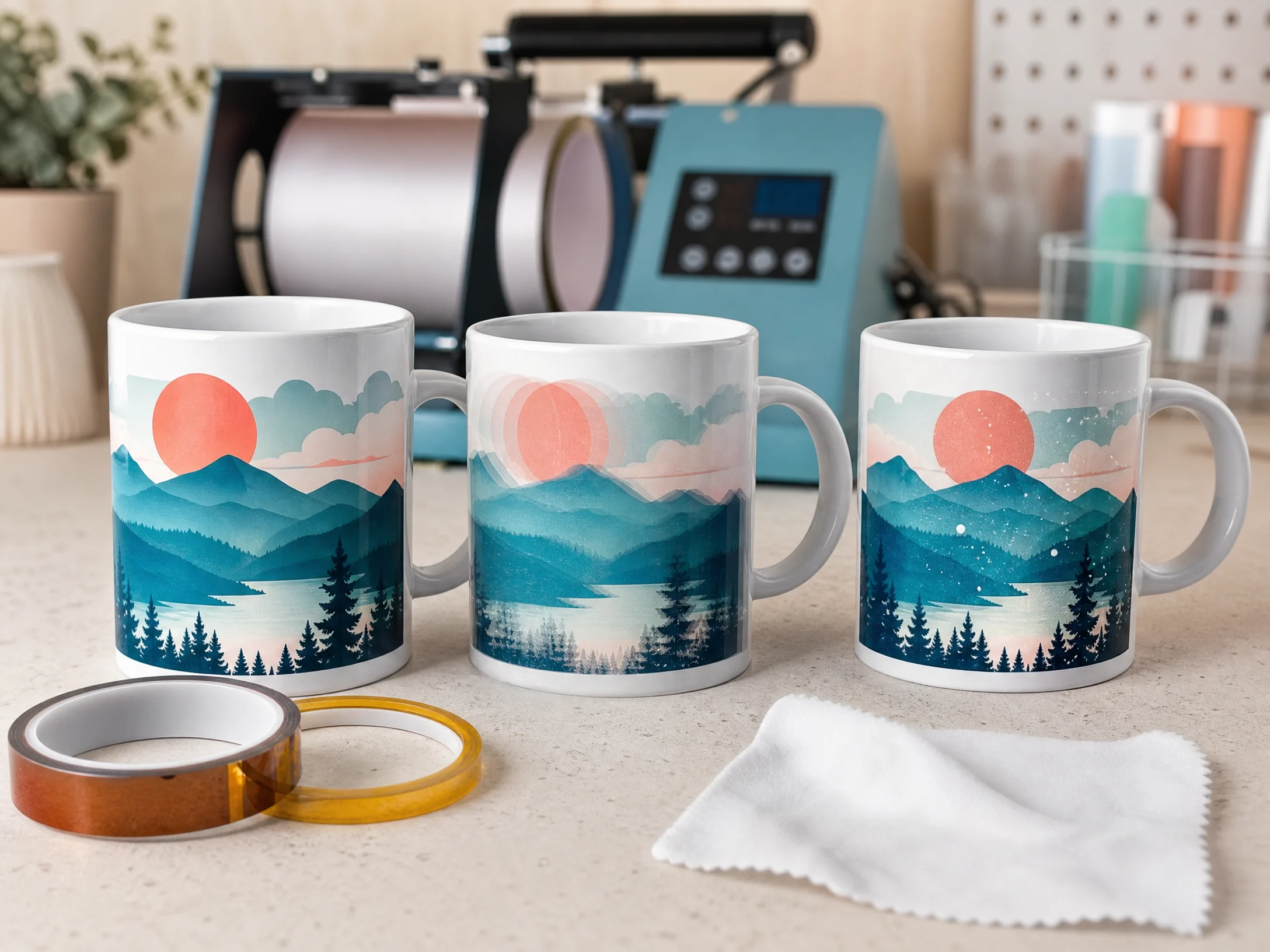
A faded image can result from insufficient heat, insufficient time, incorrect printer settings, a poor-quality transfer, or an uneven mug coating. Confirm that you printed on the correct side of the paper and that the design was fully pressed against the mug.
Test one mug at a time and adjust only one variable. Changing temperature, time, paper, and pressure all at once makes the cause difficult to identify.
Why does my mug have a blurry or double image?
This is usually ghosting caused by movement. The paper may have shifted when the press closed or when the mug was removed. Tape the transfer more securely and handle the mug without sliding the paper across its surface.
Why are there white specks on my mug?
White specks are often caused by dust, fibers, fingerprints, or small gaps between the transfer and the coating. Clean the mug carefully, use a lint-free cloth, and check that the transfer is flat and tight.
Why does the mug look brown or overcooked?
Too much heat or too much dwell time can darken the transfer and create a brownish or dull appearance. Check the manufacturer’s recommended settings and reduce the cycle gradually during testing.
Why is the design uneven near the handle?
The mug may not be centered correctly, the press may not fit the mug profile, or the artwork may extend beyond the printable area. Adjust the design placement and make sure the mug is seated evenly in the press.
Why did the paper stick to the mug?
Paper sticking can happen when the cycle is too hot or too long, or when the blank and paper combination is not compatible. Follow the blank manufacturer’s instructions and test a shorter cycle or lower temperature only after documenting your current result.
Can You Sublimate on Any Ceramic Mug?
No. For traditional dye sublimation, use a mug with a compatible polymer coating. A normal ceramic mug without that coating usually will not accept sublimation ink properly.
Also check whether the blank is rated for your intended use. If you plan to sell mugs, choose reliable blanks, follow the supplier’s care instructions, and communicate appropriate care information to customers.
Do not assume that every sublimated mug is automatically dishwasher-safe or microwave-safe. Follow the blank manufacturer’s care guidance and avoid making durability claims that have not been tested for your specific product.
Mug Care Instructions for Customers
For the best chance of preserving the design:
- Follow the mug blank manufacturer’s care instructions.
- Avoid abrasive scrubbers on the printed area.
- Do not claim dishwasher or microwave safety unless the specific blank is rated for it.
- Package mugs with enough padding to protect the ceramic during shipping.
- Consider including a small care card with every customer order.
Is Sublimation Mugs a Good Small-Business Product?
Yes, personalized mugs can work well for gifts, holidays, teacher appreciation, birthdays, weddings, local businesses, and corporate orders. They are also relatively easy to personalize with names, photos, short quotes, and simple graphics.
Before selling, calculate the full cost of each mug. Include the blank, ink, paper, tape, electricity, packaging, shipping materials, design time, marketplace fees, and your labor. Our guide on how to start a sublimation business can help you think through pricing, niches, and production workflows.
Frequently Asked Questions
What temperature do you use to sublimate a ceramic mug?
A common starting range is 350–400°F (180–205°C). The correct temperature depends on the mug blank, press, ink, paper, and manufacturer instructions.
How long do you press a sublimation mug?
Many ceramic mug workflows fall within 150–300 seconds, but the correct time varies. Use the blank and press manufacturer’s recommendation as your primary reference and test one mug before production.
Do you mirror a mug sublimation design?
Yes. Mirror the design before printing so text, names, and other directional artwork appear correctly after transfer.
Can you sublimate on a black mug?
Traditional sublimation ink is transparent, so it does not show well on dark surfaces. White or light-colored polymer-coated mugs are generally the easiest choice.
What causes ghosting on a mug?
Ghosting is usually caused by the transfer moving during pressing or removal. Secure the paper tightly and avoid sliding it across the mug.
Is a sublimation mug dishwasher-safe?
Care instructions depend on the specific blank and coating. Follow the manufacturer’s guidance rather than assuming that every sublimated mug has the same durability.
Final Mug Sublimation Checklist
Before pressing, confirm that:
- The mug is a compatible polymer-coated sublimation blank.
- The design is sized correctly and mirrored.
- The transfer is printed on the correct side of the paper.
- The mug is clean and dry.
- The transfer is tight and fully taped.
- The press setting matches the blank manufacturer’s recommendation.
- Heat-resistant gloves and a heat-safe cooling area are ready.
- You have tested the process before making a full batch.
With the right blank, a clean transfer, careful taping, and a tested press setting, mug sublimation becomes a repeatable process that beginners can learn and small businesses can scale.