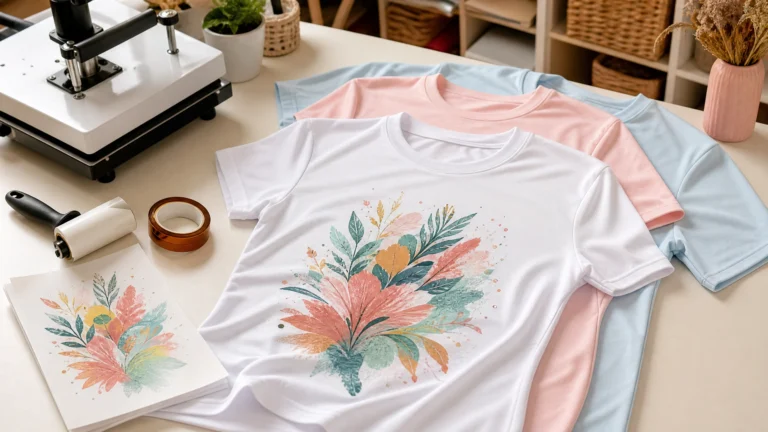
Sublimation printing has undergone a revolution. In 2026, the industry has shifted from simple hobbyist crafts to a sophisticated manufacturing process accessible to everyone. Whether you are producing high-end photographic panels or custom apparel, the foundation of your success remains the same: the perfect calibration of Temperature, Time, and Pressure.
If you are just starting out, our sublimation for beginners guide is the perfect place to build your foundation before tackling these advanced settings. This massive guide is designed to be the only resource you will ever need. We have analyzed thousands of press cycles, consulted with industry leaders like Sawgrass and VEVOR, and tested over 50 new substrates to bring you this definitive encyclopedia.
1. The Molecular Science of Sublimation: Beyond the Basics
To master sublimation, one must first understand the chemistry behind the magic. Sublimation is the process where a substance transitions directly from a solid state to a gaseous state without ever becoming a liquid. In the context of printing, this involves specialized inks that, when heated to approximately 385°F (196°C), turn into a gas.

The Role of Polyester
Why does sublimation require polyester? The answer lies in the molecular structure of synthetic fibers. When heated, the pores of the polyester fiber open up. Simultaneously, the sublimation ink turns into a gas and enters these open pores. As the material cools, the pores close, trapping the ink permanently inside the fiber. This is why a sublimated image will never crack, peel, or wash away—it is literally part of the fabric.
The Importance of Coatings
For hard substrates like ceramic, glass, or metal, a specialized polyester coating is applied during manufacturing. Without this coating, the gas would have nowhere to bond, and the image would simply wipe off. In 2026, new “high-release” coatings have been developed that allow for lower pressing temperatures and faster times, which we will cover in the sublimation heat press settings charts below.
2. Essential Equipment for the Modern Sublimator
Your choice of equipment is just as important as your settings. A cheap, uneven heat press will produce inconsistent results regardless of how precise your timer is.
Heat Press Types
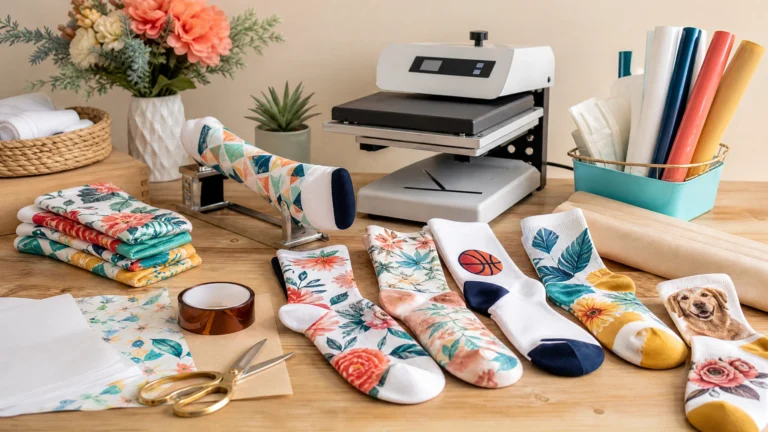
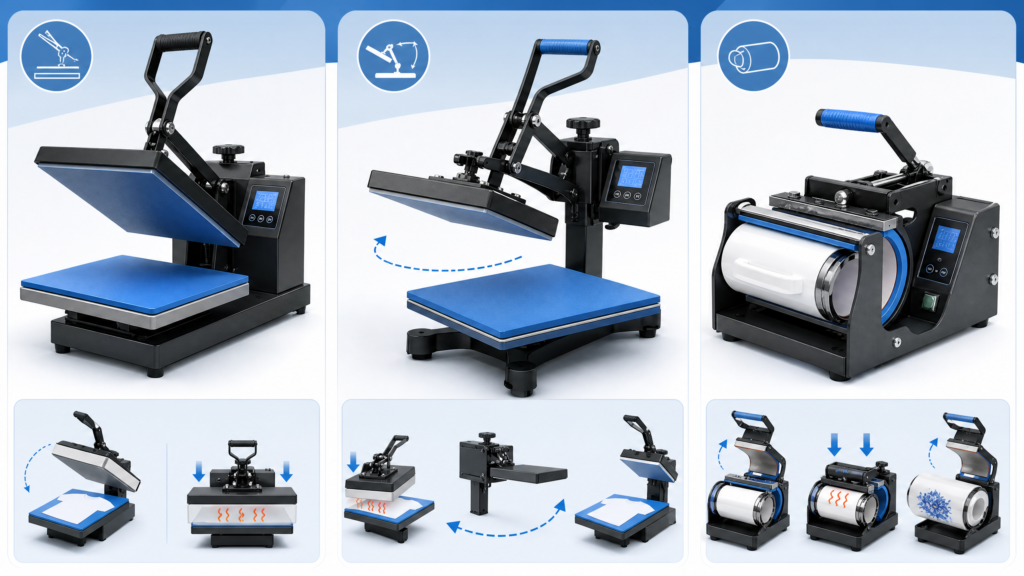
•Clamshell Press: Ideal for garments and flat items. It takes up less space but can sometimes apply uneven pressure to thicker items like slate or wood.
•Swing-Away Press: The professional choice for thick substrates. The top platen swings completely out of the way, allowing for a vertical press that ensures perfectly even pressure across the entire surface.
•Specialized Presses: Mug and tumbler presses are designed specifically for cylindrical items, providing 360-degree heat and pressure that a flat press cannot replicate.
Sublimation Supplies
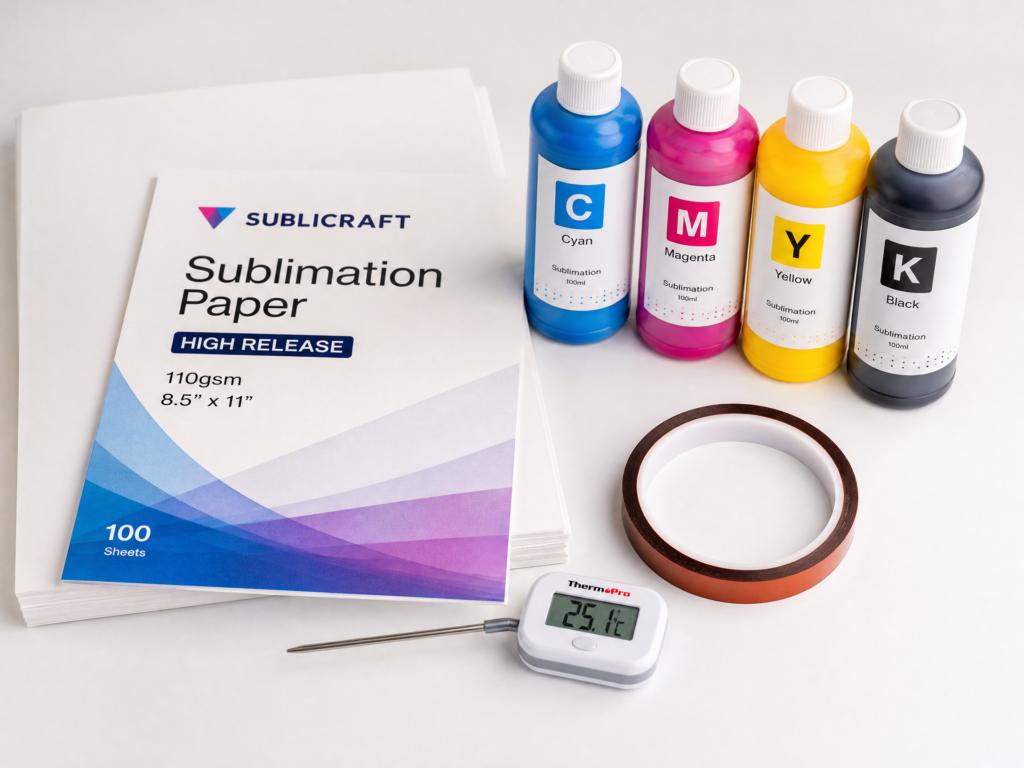
Success also depends on your consumables. High-release sublimation paper is designed to hold the ink on the surface and release up to 98% of it during the press. Similarly, using a precision thermometer to calibrate your press is a non-negotiable step for professional-grade work. If you are using an Epson machine, ensure you have configured your Epson sublimation printer settings correctly for the best color output.
3. Environmental & External Factors: The Invisible Variables
Many crafters overlook the impact of their environment. In 2026, we have identified three major external factors that can ruin a press:
Humidity: The Invisible Enemy
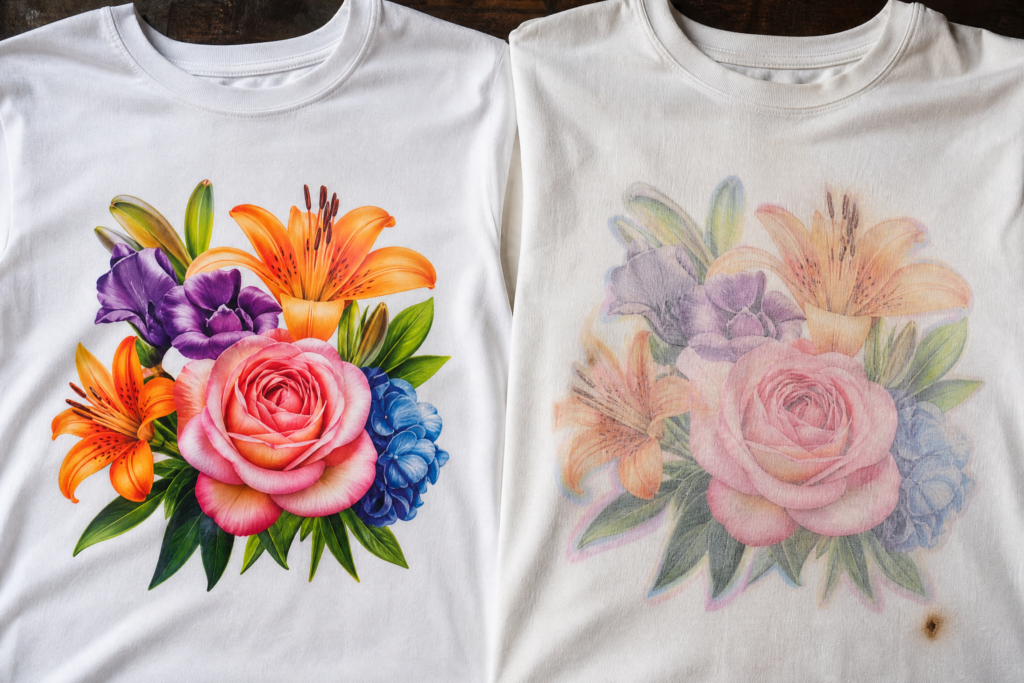
Moisture is the primary cause of “ghosting” and faded spots. When moisture in the fabric or paper turns to steam during the press, it physically pushes the sublimation gas away from the fibers.
•Pro Tip: Always pre-press your fabrics for 5–10 seconds to drive out any hidden moisture before applying your transfer.
Altitude and Boiling Points
If you are working at a high altitude, the air is thinner, and the boiling point of water is lower. This also affects the transition of sublimation ink into gas. You may need to increase your temperature by 5–10°F to achieve the same vibrancy as someone at sea level.
4. The Master 2026 Sublimation Temperature Chart (Expanded)
This table covers the most common and specialty blanks available in 2026. Use these as your starting points.
Category: Fabrics & Soft Goods
| Substrate | Temp (°F) | Time (sec) | Pressure | Critical Note |
| 100% Polyester | 385°F | 45-50 | Medium | Use a lint roller before pressing. |
| Poly-Cotton (65/35) | 385°F | 45 | Medium | Muted, vintage look; will fade slightly. |
| Polyester Tote Bags | 385°F | 50 | Medium | Place a Teflon sheet inside. |
| Neoprene (Koozies) | 390°F | 50 | Light | Heavy pressure causes permanent flattening. |
| Polyester Blankets | 380°F | 60 | Light | Use a pressing pillow for thick plush. |
| Microfiber Towels | 390°F | 55 | Medium | Brush the nap before and after pressing. |
For those looking to expand their portfolio, sublimation on leather has become a high-margin niche in 2026, requiring careful temperature management to avoid marking the surface.
Category: Drinkware & Cylindricals
| Substrate | Temp (°F) | Time (sec) | Pressure | Critical Note |
| Ceramic Mug (Press) | 390°F | 190-210 | Firm | Ensure the handle does not touch the platen. |
| Ceramic Mug (Oven) | 400°F | 12-15 min | Wrap | Use a silicone wrap for even pressure. |
| SS Tumbler (Press) | 365°F | 50 (pos 1) | Medium | Rotate 180° and press another 50 sec. |
| SS Tumbler (Oven) | 375°F | 6 min | Shrink | Remove shrink wrap while hot. |
| Frosted Glass Can | 360°F | 180 | Light | Rotate frequently in a press to avoid cracks. |
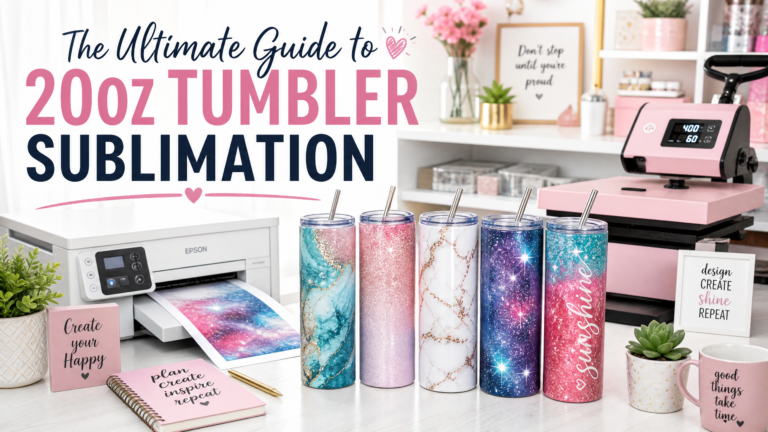
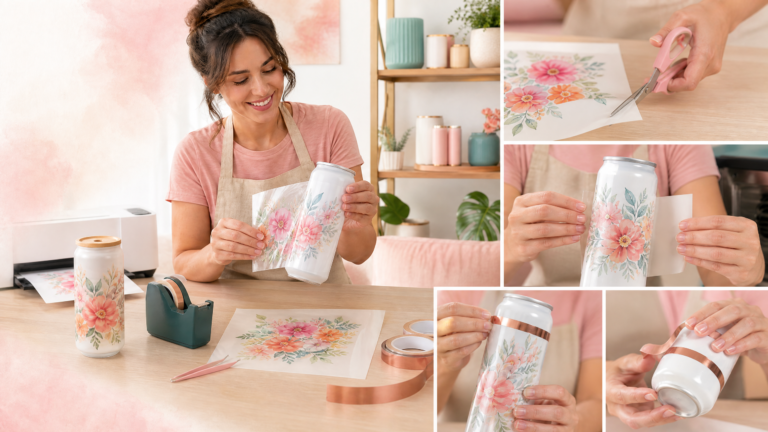
If you’re focused on drinkware, our deep dive into 20oz tumbler sublimation covers everything from seam alignment to full-wrap techniques. You can even get started today with our free 20oz tumbler wraps or explore specific niches like the nurse tumbler wrap.
Category: Hard Substrates & Photo Panels
| Substrate | Temp (°F) | Time (sec) | Pressure | Critical Note |
| Aluminum (ChromaLuxe) | 385°F | 90 | Medium | Remove film; press face down. |
| Cast Acrylic | 350°F | 120 | Medium | Cool under weight to prevent warping. |
| Slate Coasters | 390°F | 300-400 | Medium | Use a Nomex pad to reach low spots. |
| Ceramic Tile | 400°F | 450 | Light | Press face down; very long cycle. |
| MDF / Hardboard | 400°F | 60 | Medium | Ensure coating is for sublimation. |
| Mouse Pad | 400°F | 45 | Medium | Similar to fabric but watch for rubber smell. |
For specific mouse pad projects, check our sublimation mouse pad guide and the detailed sublimation mouse pad temp and time chart.
5. Deep Dive: Hard Substrates & Acrylic Management
Acrylic is one of the most popular items in 2026, but it is also the most difficult to master. Because acrylic is a thermoplastic, it softens significantly at sublimation temperatures.
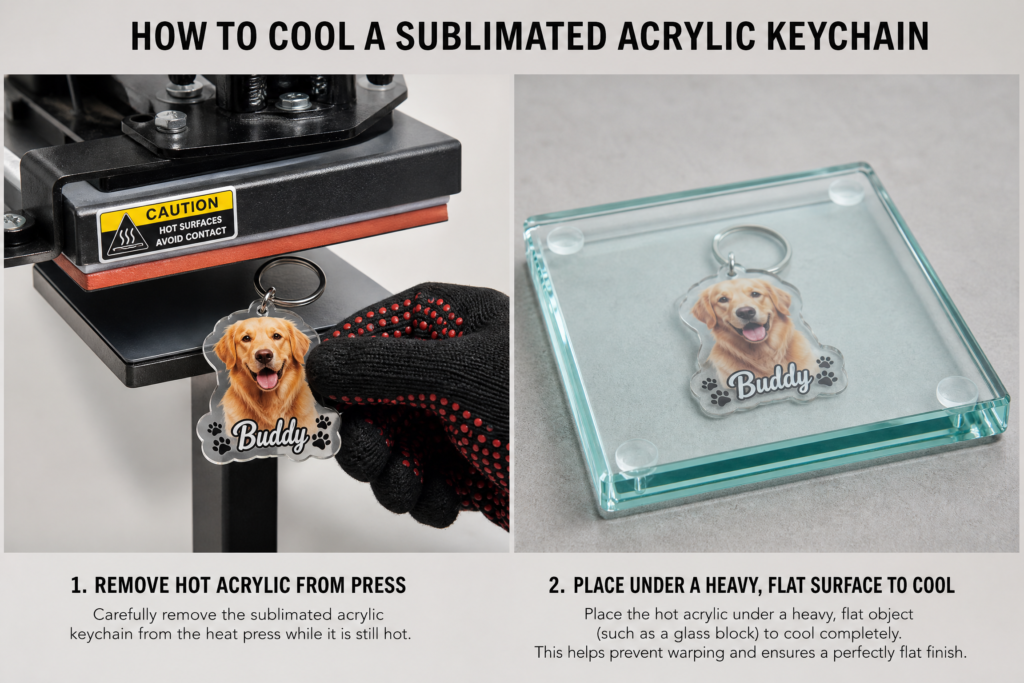
“The secret to perfect acrylic keychains is not the press itself, but the cooling process. If you let a hot piece of acrylic cool in the open air, it will curl. You must place it under a heavy, flat object—like a thick glass block or a heavy book—immediately after removing it from the press.”
6. Troubleshooting & Quality Control: The Pro’s Checklist
Even experts face challenges. Use this diagnostic guide to fix common issues:
The “Color Shift” Mystery
•Black turns Brown: Your temperature is too high or your time is too long. The ink is essentially “burning.”
•Black turns Green: Your temperature is too low or your time is too short. The ink has not fully transitioned into gas.
•Faded Edges: This is almost always a pressure issue. Ensure your press is calibrated and that you are using a swing-away press for thicker items.
Managing Ghosting
Ghosting occurs when the transfer paper moves while the ink is still gassing. This creates a blurry, double-image effect.
1.Use Heat Tape: Secure the design on all four sides.
2.Adhesive Spray: For large fabric designs, a light mist of Pro-Spray can keep the paper perfectly still.
3.Vertical Lift: When opening your press, lift the handle straight up. Do not let the platen slide across the surface.
7. Safety, Maintenance, and Care
Sublimation involves high heat and chemical gases. Safety should always be your priority. For detailed safety information, manufacturers like Epson provide Safety Data Sheets (SDS) for their sublimation equipment.
Ventilation and VOCs
While sublimation is generally safe, the process does release Volatile Organic Compounds (VOCs) and smoke, especially when pressing neoprene or certain plastics. Always work in a well-ventilated room or use a dedicated fume extractor.
Platen Maintenance
Over time, ink and adhesive can build up on your heat platen. This causes uneven heating and can ruin future projects. Clean your platen while it is slightly warm using a soft cloth and a specialized heat platen cleaner. Never use abrasive scrubbers.
8. The Future of Sublimation: 2027 and Beyond
As we look toward 2027, the industry is moving toward “Low-Temp Sublimation.” New inks are being developed that gas at just 320°F (160°C), which will allow us to sublimate on a much wider range of heat-sensitive materials, including more natural fiber blends and delicate plastics.
9. Conclusion: Your Path to Mastery
Mastering sublimation is a journey of constant learning. By understanding the science, investing in quality equipment, and following the precise settings in this guide, you are well on your way to producing professional-grade products.
To get started on your next project, why not grab our free summer sublimation designs? Bookmark this page, print the charts for your craft room, and always remember: Test twice, press once.
10. Sublimation vs. DTF vs. Screen Printing: Which is Right for You?
In the modern crafting landscape of 2026, sublimation is often compared to Direct-to-Film (DTF) and traditional Screen Printing. Understanding the differences is crucial for choosing the right method for your business.
Sublimation: The “In-Fiber” Choice
•Pros: Zero “hand” (you can’t feel the print), infinite colors, permanent bond, no cracking.
•Cons: Limited to light-colored polyester or coated blanks.
•Best For: Performance wear, photographic gifts, and hard substrates.
Direct-to-Film (DTF): The “Any-Fabric” Alternative
•Pros: Works on cotton, dark colors, and synthetics. Very vibrant.
•Cons: You can feel the print on the surface (it has a “hand”), and it may eventually crack after many washes.
•Best For: Dark cotton t-shirts and small-batch custom apparel.
Screen Printing: The “High-Volume” Classic
•Pros: Extremely durable, cost-effective for hundreds of items.
•Cons: High setup costs (screens, emulsions), limited color count per design.
•Best For: Large bulk orders of 50+ identical items.
11. The “Perfect Press” Workflow: A Step-by-Step Checklist
Consistency is the enemy of failure. Follow this exact workflow for every project:
1.Calibrate: Turn on your press 30 minutes before use. Verify the temperature with a probe.
2.Clean: Use a lint roller on fabrics or a microfiber cloth with alcohol on hard blanks.
3.Pre-Heat: Press the blank alone for 5–10 seconds to remove moisture and wrinkles.
4.Position: Align your transfer paper and secure it with heat-resistant tape.
5.Protect: Place a clean sheet of butcher paper (not Teflon) on top to catch any escaping gas.
6.Press: Close the press and start your timer. Ensure the pressure is correct for the substrate.
7.Release: Open the press quickly and lift the transfer paper in one smooth motion.
8.Cool: Follow the specific cooling instructions for your blank (e.g., cooling acrylic under weight).
12. Frequently Asked Questions (FAQ)
Q: Can I sublimate on 100% cotton?
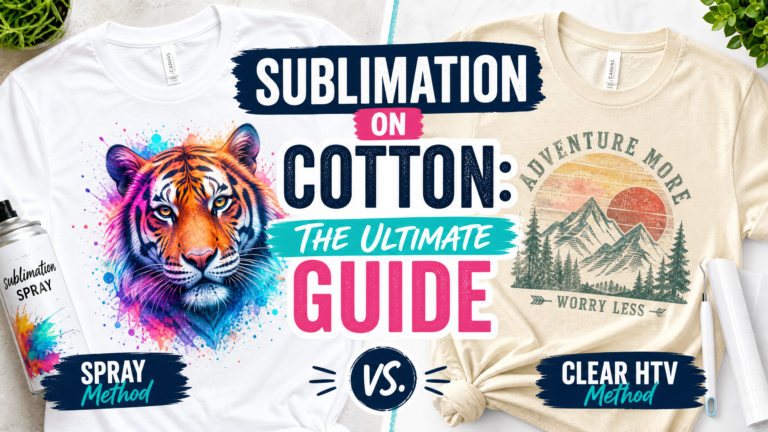
A: Not directly. Sublimation ink requires polyester fibers to bond. However, our guide on sublimation on cotton explains how to use “sublimation spray” or a layer of clear HTV as a bridge.
Q: Why is my black ink coming out brown?
A: This is the most common sign of “over-cooking.” Your temperature is too high, or you are pressing for too long. Reduce your heat by 10°F and try again.
Q: Do I really need butcher paper?
A: Yes. Butcher paper absorbs the excess gas that escapes through the back of the transfer paper. Without it, that gas will stain your heat platen and ruin your next project. Never use parchment paper or waxed paper.
Q: How do I sublimate on dark-colored shirts?
A: True sublimation is transparent. On a black shirt, the ink will simply disappear. To achieve this look, you must use a white polyester “patch” or a specialized glitter HTV that is sublimation-compatible.
Q: Can I use a regular iron for sublimation?
A: It is highly discouraged. Irons have uneven heat distribution and lack the consistent, heavy pressure required for a successful transfer. You will likely end up with faded, blotchy results.
Q: My glass tumbler cracked in the press. What happened?
A: Glass is sensitive to thermal shock. Ensure you are using “Light” pressure and that you are not putting a cold glass into a pre-heated press too quickly. Also, never dip a hot glass item into cold water to cool it down.
Q: How long will a sublimated shirt last?
A: If done correctly on 100% polyester, the print will last as long as the garment itself. It will not fade, crack, or peel because the dye is trapped inside the fibers.
Q: What is the best printer for sublimation in 2026?
A: For beginners, converted Epson EcoTank printers remain popular. For professionals, the Sawgrass Virtuoso series (SG500/SG1000) offers superior color management and dedicated support.
13. Final Thoughts: The Art of the Experiment
While this guide provides the data, your own experimentation is the final step. Keep a “Press Journal” where you record the brand of blank, the specific ink used, and the final settings that worked for you. In the world of sublimation, knowledge is power, but experience is perfection.