What Shirts Work Best for Sublimation?
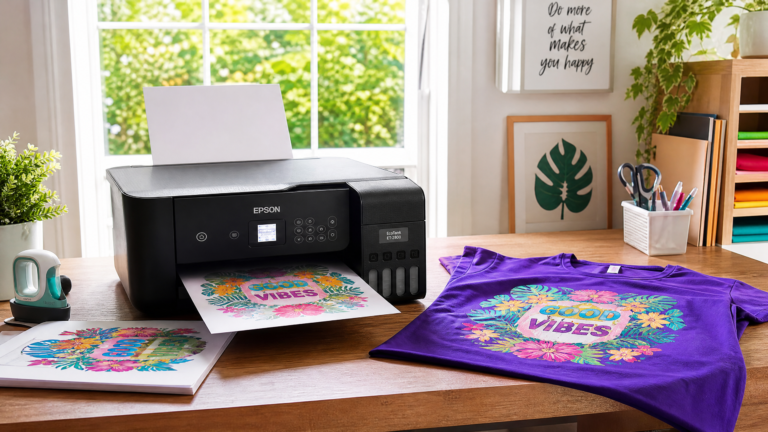
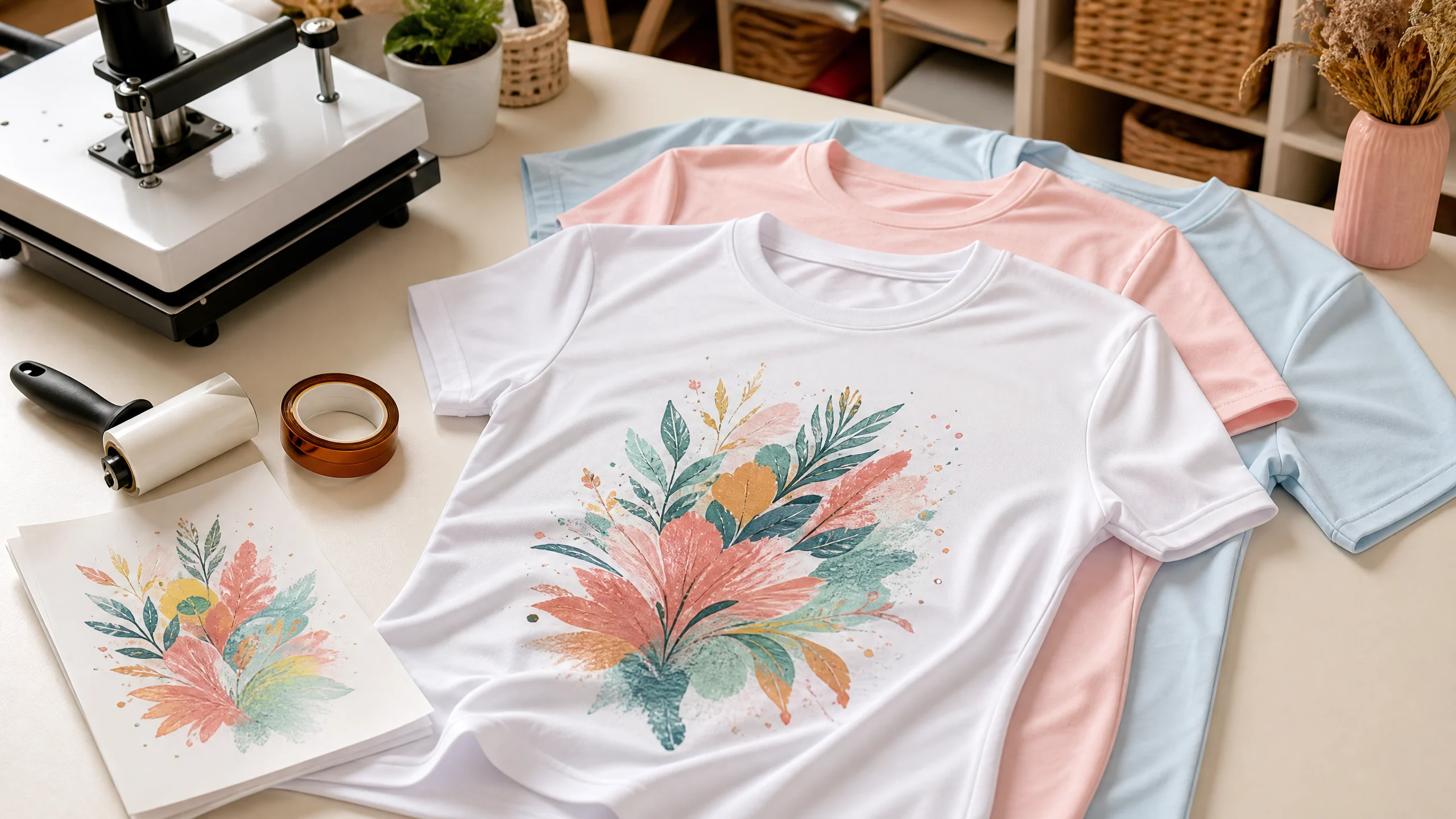
The best shirts for traditional dye sublimation are white or light-colored shirts made from 100% polyester. Polyester gives sublimation ink a polymer surface to bond with, while a light shirt color allows the transparent ink to remain bright and visible.
Polyester blends can also work, but the final image is usually softer, less vibrant, and more vintage-looking as the polyester percentage decreases. For the brightest, sharpest, most repeatable results, start with a smooth, white, high-polyester shirt.
Quick answer: Choose a white or light-colored shirt with a smooth, tightly knitted polyester surface. A 100% polyester shirt gives the most vibrant results. A polyester blend may work, but expect a softer or distressed appearance and test the exact blank before selling it.
Why Polyester Shirts Work Best for Sublimation
Sublimation ink is designed to bond with polyester or another compatible polymer surface. During pressing, the ink turns into a gas and bonds with the polyester fibers as the shirt heats and cools.
Cotton does not provide the same polymer surface. A design may look acceptable immediately after pressing onto cotton, but much of the ink is sitting on the surface rather than bonding into the fibers. Washing can then cause significant fading.
This is why a standard 100% cotton T-shirt is not the best choice for traditional sublimation. For a deeper explanation of cotton workarounds, read our guide to Sublimation on Cotton: Spray Coating vs. Clear HTV.
Best Shirt Fabrics for Sublimation
1. 100% polyester shirts: best overall choice
A 100% polyester shirt is the safest starting point for beginners and production work. It generally provides:
•Bright, saturated colors
•Crisp edges and fine details
•Better consistency from shirt to shirt
•Stronger wash durability than cotton-based alternatives
•A smooth surface for photo designs, names, and colorful artwork
Look for polyester performance tees, athletic shirts, moisture-wicking shirts, and smooth polyester jersey blanks. These shirts are often available in white and light colors and are commonly used for sublimation apparel.
2. High-polyester blends: good for a softer or vintage look
Polyester blends can accept sublimation, but the final result depends on the fiber ratio, knit, color, and finish. As a practical rule, a blend with a high polyester content—often around 65% polyester or higher—will usually produce a more visible result than a 50/50 cotton-polyester shirt.
The non-polyester fibers do not bond with the dye in the same way. They remain their original color, which can make the finished design look lighter, heathered, or intentionally distressed.
Use a blend when:
•You want a soft vintage effect.
•The shirt style is more important than maximum color intensity.
•You have tested that particular brand and color.
•The customer understands that the result will not look like a 100% polyester shirt.
Do not treat a percentage guideline as a guarantee. Two shirts with the same fiber percentage can produce different results because of their knit, coating, dye, and manufacturing process.

3. Sublimation-compatible performance shirts
Performance shirts are popular because they are lightweight, smooth, and commonly made from polyester. They can be a good choice for sports teams, family reunions, event shirts, summer designs, and activewear.
Before pressing, check the shirt for:
•A smooth, even surface
•A bright white point or light base color
•Minimal texture
•No heavy seams across the print area
•No garment-dyed finish that may change under heat
What Shirt Colors Work Best for Sublimation?
White shirts: the easiest and brightest option
White shirts give sublimation colors the cleanest background. Because sublimation ink is transparent, the white fabric acts like the white in your design and helps colors appear bright.
White is the best choice for:
•First-time projects
•Full-color artwork
•Photo transfers
•Fine text and detailed illustrations
•Customer orders where consistency matters
Light pastel shirts: attractive but design-dependent
Light pink, pale blue, cream, mint, and other pastel shirts can work well for sublimation. The shirt color will show through the transparent ink, so the design palette should be chosen to complement the base color.
For example, a design with pale yellow may disappear on a cream shirt, while dark teal or coral may remain easy to see.
Dark shirts: not suitable for traditional sublimation
Traditional sublimation ink does not include an opaque white layer. On a dark shirt, the design will usually be difficult to see or may appear muddy.
If you need to print bright artwork on black, navy, or another dark shirt, consider a different apparel decoration method such as DTF, printable HTV, screen printing, or a compatible opaque transfer system.
Best Shirt Styles for Sublimation
The best style depends on the project, but these are practical options:
| Shirt style | Why it works | Best use |
| White 100% polyester T-shirt | Bright, consistent base | Beginner projects and customer orders |
| Polyester performance tee | Smooth and lightweight | Sports, events, and team shirts |
| Polyester jersey shirt | Comfortable with a printable surface | Everyday apparel and gifts |
| High-polyester heather shirt | Creates a softer vintage effect | Retro designs and casual apparel |
| Polyester tank top | Good for warm-weather projects | Summer, travel, and beach designs |
| Polyester youth shirt | Easy to personalize | Birthdays, school events, and family shirts |
Choose a shirt with a printable area that is large enough for the design. A heavily ribbed, textured, or stretchy surface can make it harder to achieve a smooth transfer.
What Shirts Should You Avoid?
Avoid these blanks for standard dye sublimation unless they are specifically designed for a compatible workaround:
•100% cotton shirts
•Dark or black shirts
•Shirts with heavy texture in the print area
•Garment-dyed shirts that may discolor under heat
•Shirts with coatings or finishes that are not approved for heat transfer
•Very loose or open knits that may create an uneven image
•Shirts with prominent seams, zippers, or pockets under the design
Cotton can be used with a polymer bridge such as specialized clear HTV or a sublimation coating, but that is a different workflow. It may also change the shirt’s hand, breathability, durability, and care requirements.
How to Test a Shirt Before Selling It
Never rely only on the product title or fiber percentage. Test the exact brand, color, and size you plan to sell.
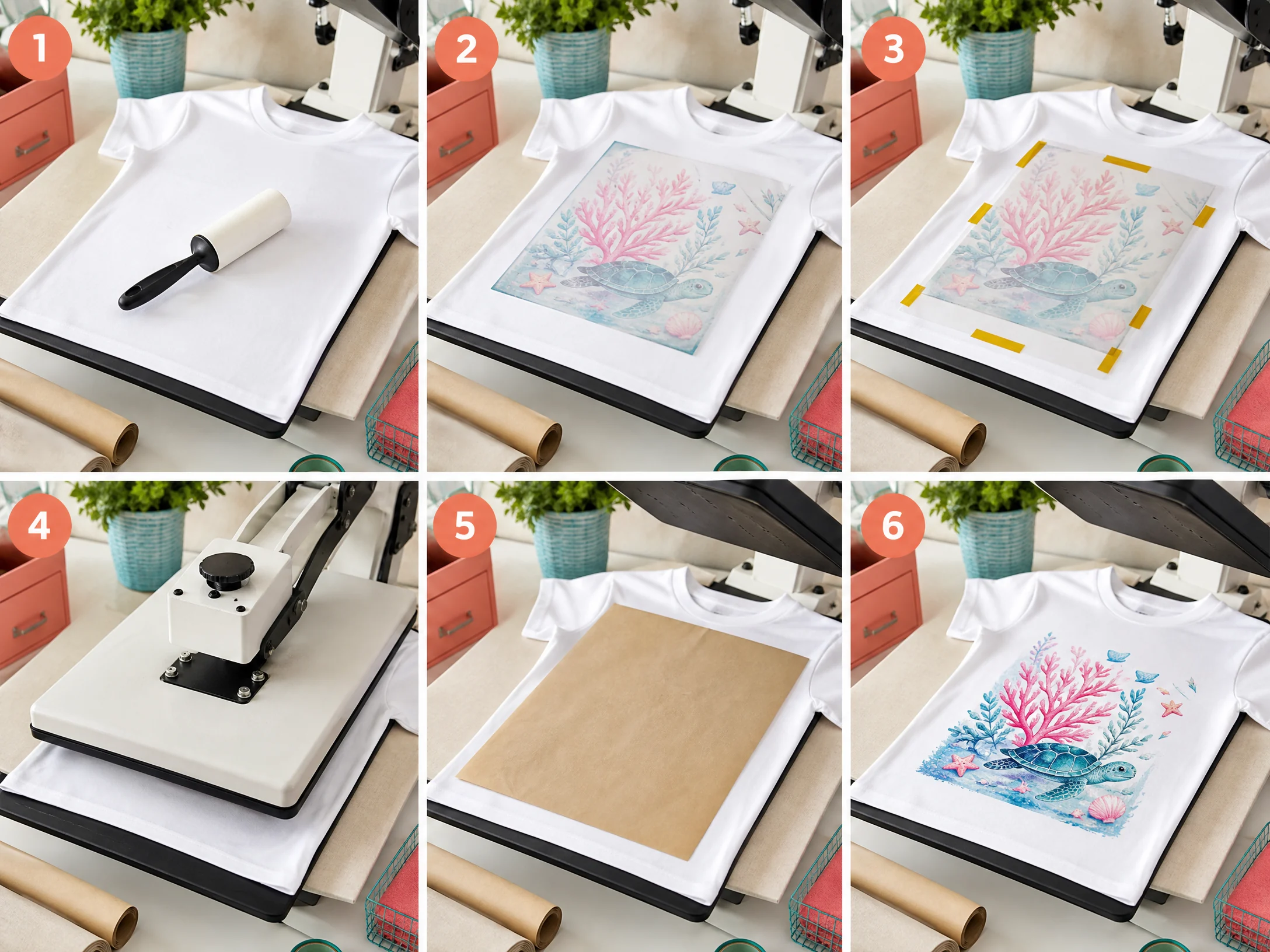
1.Choose a small design with dark text, bright colors, and a solid area.
2.Lint-roll the shirt to remove loose fibers.
3.Pre-press briefly according to your transfer and equipment workflow to remove moisture and wrinkles.
4.Place protective paper inside and above the shirt if recommended.
5.Press using the shirt and transfer manufacturer’s starting settings.
6.Let the shirt cool before judging the color.
7.Wash it according to the shirt manufacturer’s care instructions.
8.Inspect the design after washing for fading, cracking, bleeding, or uneven areas.
Record the shirt brand, color, fiber content, temperature, time, pressure, paper, ink, and result. A simple test log can prevent expensive mistakes when you begin fulfilling orders.
Sublimation Shirt Temperature and Time
A common starting point for polyester fabric is approximately 400°F / 205°C for 35–45 seconds with medium pressure, but the correct setting depends on your transfer paper, ink, press, shirt, and protective materials.
Sawgrass provides polyester fabric as a starting point of 400°F for approximately 45 seconds with medium pressure in its Sublimation Heat Press Settings guide. Its printable heat press settings reference also notes the importance of pre-pressing and looking for a tightly knitted fabric with a high white point.
Use manufacturer instructions as your primary reference and adjust carefully. Overheating can cause yellowing, scorching, press marks, or a dull transfer, while insufficient heat or time can produce pale colors.
For more material-specific guidance, see our Sublimation Heat Press Settings guide and Sublimation Temperature Chart.
How to Get Brighter Sublimation Shirt Results
•Start with a white 100% polyester shirt.
•Use a smooth, tightly knitted blank.
•Lint-roll the shirt before pressing.
•Mirror the design before printing.
•Use fresh sublimation paper and the correct print settings.
•Keep the transfer flat and still during pressing.
•Use protective paper to help prevent ink ghosting or platen contamination.
•Let the shirt cool before evaluating the final color.
•Test one shirt before starting a full order.
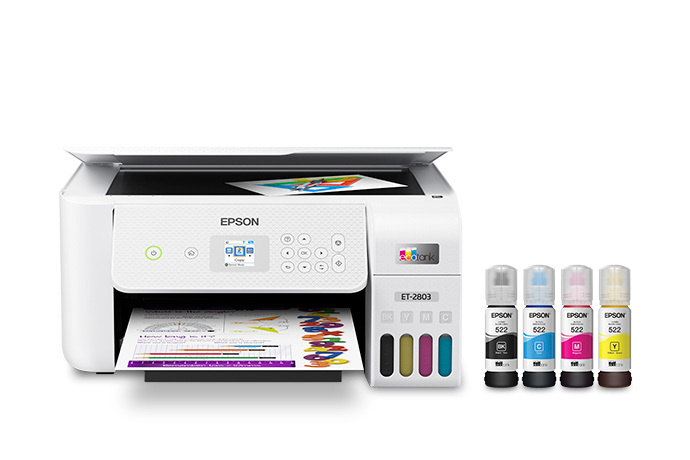
For printer setup, review our Epson Sublimation Printer Settings guide.
Why Is My Sublimation Shirt Faded?
A faded shirt can have several causes:
Low polyester content
If the shirt contains a large amount of cotton or another non-polyester fiber, the image may look intentionally faded or vintage. Try a higher-polyester blank if you need vivid color.
Dark or colored fabric
The base shirt color changes the appearance of transparent sublimation ink. Use white or a very light color for the brightest result.
Incorrect heat or time
Insufficient heat or dwell time can prevent the dye from bonding properly. Excessive heat can also create a dull or yellowed result. Adjust one variable at a time.
Moisture or wrinkles
Moisture trapped in the shirt can interfere with the transfer. A short pre-press and a smooth, lint-free surface can help, provided they are compatible with your workflow.
Transfer movement
If the paper shifts while the press closes or opens, the design can look blurry or doubled. Secure the transfer and lift the press carefully.
Shirt Care Instructions
Give customers the care instructions supplied by the shirt manufacturer. In general, advise them to:
•Wash the shirt inside out.
•Use a mild detergent.
•Avoid bleach unless the manufacturer specifically permits it.
•Use a cool or warm cycle as recommended for the blank.
•Avoid high heat when drying if the shirt label recommends lower heat.
•Do not iron directly over the printed design.
Avoid promising that every sublimated shirt is fade-proof. Durability depends on the shirt, ink, paper, press settings, washing, and care.
Frequently Asked Questions
What is the best shirt material for sublimation?
White or light-colored 100% polyester is the best general-purpose material for traditional sublimation. It provides the most vibrant and consistent results.
Can you sublimate on a 50/50 shirt?
You can transfer a design onto some 50/50 shirts, but the result is usually softer and more faded than on 100% polyester. Test the exact shirt before selling it.
Can you sublimate on cotton?
Not reliably with standard sublimation alone. Cotton lacks the polyester surface required for the dye to bond properly. A specialized polymer coating or clear HTV workaround may be used, but it is a different process.
What color shirt is best for sublimation?
White is the easiest and brightest option. Light pastel shirts can also work, but the fabric color will influence the final design.
Can you sublimate on black shirts?
Traditional sublimation is not suitable for black shirts because the transparent ink cannot create an opaque white base. Use a different apparel decoration method for dark garments.
What percentage of polyester is best for sublimation?
100% polyester is the best choice for vivid, consistent results. High-polyester blends may work for softer or vintage effects, but the exact result must be tested.
Final Recommendation
If you are new to shirt sublimation, start with a white 100% polyester T-shirt with a smooth, tightly knitted surface. It gives you the best chance of achieving bright colors, crisp details, and repeatable results.
Once you understand your press and printer, experiment with light-colored polyester blends for vintage designs and softer apparel styles. Test every new blank before using it for customer orders, and keep notes so successful settings can be repeated.
For more beginner guidance, continue with our Sublimation for Beginners guide or learn how to start a sublimation business.
External References
•Sawgrass Sublimation Heat Press Settings