How to Sublimate Keychains: Blanks, Settings, Sizing, and Two-Sided Pressing
Sublimation keychains are small, affordable products that are easy to personalize for gifts, party favors, team events, teacher gifts, business promotions, and craft-fair displays. They also make useful add-ons for a sublimation shop because the same name, logo, pattern, or artwork can often be adapted from a larger product.
The process is not exactly the same for every keychain. Acrylic, faux leather, neoprene, FRP, aluminum, and wood blanks can require different preparation, orientation, temperature, time, pressure, and cooling steps.
This complete guide explains how to sublimate keychains while avoiding the most common mistakes. You will learn how to choose a blank, size and mirror the design, press single-sided and double-sided keychains, attach the hardware, and troubleshoot fading, ghosting, warping, and uneven transfers.
Quick answer: Choose a keychain blank made specifically for sublimation, prepare the correct printable side, size the design to the actual blank, secure the transfer with heat-resistant tape, protect both sides with protective paper, and test the blank using the manufacturer’s instructions. There is no universal keychain setting because each material and coating behaves differently.
What Are Sublimation Keychains Made Of?
Sublimation keychains can be made from several materials. The printable surface must contain polyester or a compatible polymer coating so the sublimation dye has a surface to bond with.
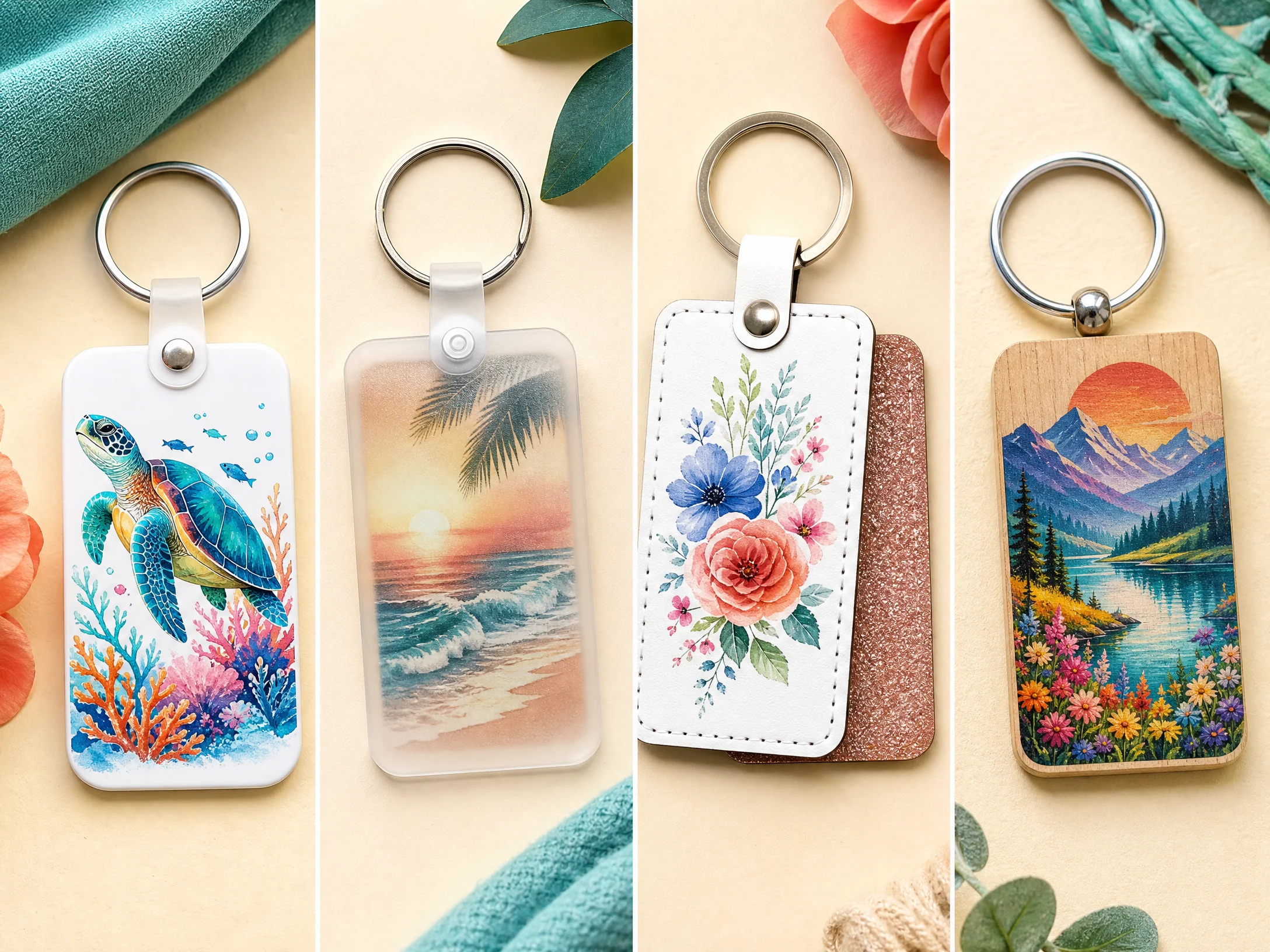
Common blank types include:
- FRP or fiber-reinforced plastic: Often available with a white sublimation surface and designed for flat pressing.
- Aluminum: Usually has a bright white coated face and may support one-sided or two-sided pressing, depending on the product.
- Acrylic: Often has a frosted or sublimation-ready back where the design is printed in reverse and viewed through the clear front.
- Faux leather or PU leather: Usually has a white printable side and a decorative reverse, such as glitter or color.
- Neoprene: Common for lanyard-style keychains and often requires a pressing pillow or support because the surface is flexible and uneven.
- Wood or MDF: Some products have a sublimation coating, while untreated wood is not automatically compatible with dye sublimation.
Unisub lists aluminum, FRP, and wood as keychain substrate options and explains that the edge or finish can help identify the material. Its instructions identify FRP by a white edge, aluminum by a silver edge, and natural wood by its wood finish.[1]
The safest rule is simple: use a blank specifically labeled for sublimation. A plain plastic keychain, untreated leather keychain, or ordinary acrylic charm may not accept sublimation ink properly, regardless of how you adjust the press.
How to Choose the Right Sublimation Keychain Blank
Choose the blank based on the final product you want to sell or give away.
Choose FRP for durable flat keychains
FRP keychains are a practical choice for names, logos, photographs, and colorful designs. Many are white on both sides and can be pressed one side at a time. They are useful for backpacks, lunch bags, school items, and promotional products.
Choose acrylic for a transparent or modern look
Frosted acrylic keychains can create a bright, polished finished product. The transfer is usually applied to the frosted side, allowing the design to show through the clear front. This can make the finished image look different from a standard front-printed blank, so test your orientation before producing a batch.
Choose faux leather for boutique products
PU or faux-leather keychains often have a white sublimation side and a glitter, colored, or textured reverse. They are popular for initials, monograms, names, and small patterns.
Because the reverse can be sensitive to heat and tape, let the keychain cool completely before removing tape if the blank supplier recommends it.
Choose neoprene for lanyard keychains
Neoprene lanyard keychains can display a design around the front and back. Because the material is soft and flexible, it may need a pressing pillow or another support method to help the press maintain contact without flattening the blank excessively.
Choose wood only when it is sublimation-ready
Natural wood by itself is not the same as a coated sublimation wood blank. Use a product with a compatible polymer coating and follow its instructions. Wood can retain heat and may require careful cooling to reduce warping.
Supplies You Need to Sublimate Keychains
Prepare the following supplies:
- Sublimation-ready keychain blanks
- Sublimation printer and sublimation ink
- Sublimation paper
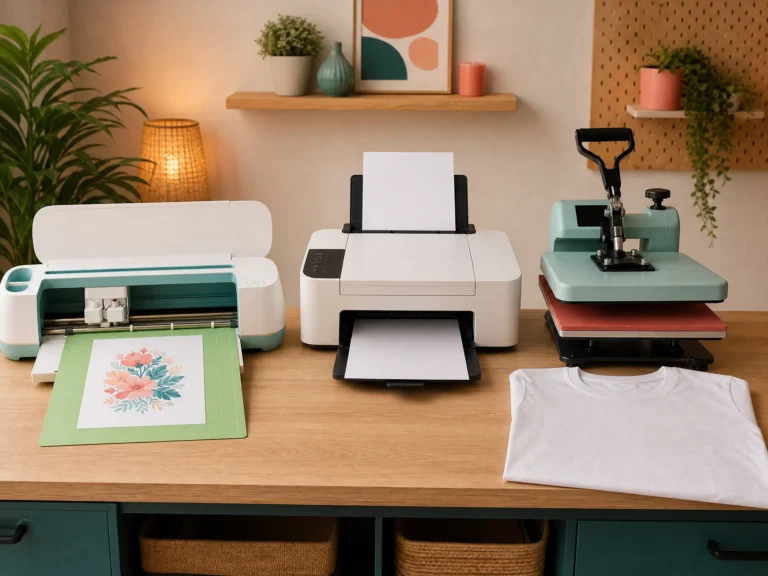
- Flat heat press
- Heat-resistant tape
- Protective paper or blowout paper
- Lint roller or clean, lint-free cloth
- Scissors or a paper trimmer
- Heat-resistant gloves
- Ruler or measuring tool
- Key rings, split rings, jump rings, tabs, or lanyard hardware
- Jewelry pliers for assembling some keychain styles
- Pressing pillow or pad for flexible or uneven blanks
If you are new to sublimation, begin with our Sublimation for Beginners guide. For printer setup, see our Epson Sublimation Printer Settings guide.
How to Sublimate Keychains Step by Step
1. Inspect the blank and remove protective film
Check the blank for a clear protective film. Some acrylic, FRP, aluminum, and coated blanks have film that must be removed before pressing.
Confirm which side is printable. A white edge may indicate FRP, a silver edge may indicate aluminum, and a wood finish may indicate natural wood. Do not assume that both sides are printable simply because the blank looks white.
2. Clean the surface
Use a lint roller, compressed air, or a clean lint-free cloth to remove dust and loose fibers. Dust can create small white spots or missing areas in the finished design.
If the blank supplier recommends a cleaning solution, follow that instruction. Avoid applying an unapproved chemical to acrylic, faux leather, glitter surfaces, or specialty coatings.
3. Measure the printable area
Measure the actual printable surface rather than relying only on the product name. Check the length, width, curves, corners, and keyring hole location.
A keychain is a small print area, so even a few millimeters of misalignment can be noticeable. If the manufacturer supplies a template, use it at its original size and confirm that your design software has not resized it.
4. Create a simple design
Simple designs usually perform best on keychains. Good options include:
- First names
- Initials
- Short words
- Small logos
- Bold icons
- High-contrast patterns
- Short dates or event names
Avoid packing a tiny blank with several lines of small text. A design that looks readable on a computer screen may become illegible after it is reduced to a two-inch product.
Use bold shapes and strong contrast. Fine lines, subtle gradients, and very small details are more likely to lose clarity at keychain scale.
5. Decide whether to mirror the artwork
For most front-printed blanks, mirror the design before printing because the transfer is placed face down on the printable surface.
Acrylic is the major exception in many workflows. If you print on the frosted back and view the design through the clear front, the design may need to be printed without mirroring. Follow the blank’s instructions and test one piece before printing a batch.
Do not guess. Check whether the finished design will be viewed from the printed side or through the opposite side.
6. Print and trim the transfer
Print the artwork on the coated side of sublimation paper using the correct printer settings. Trim close to the design so excess paper does not catch on hardware or shift during pressing.
For a small blank, accurate trimming matters. A large loose sheet gives the transfer more room to move and makes alignment more difficult.
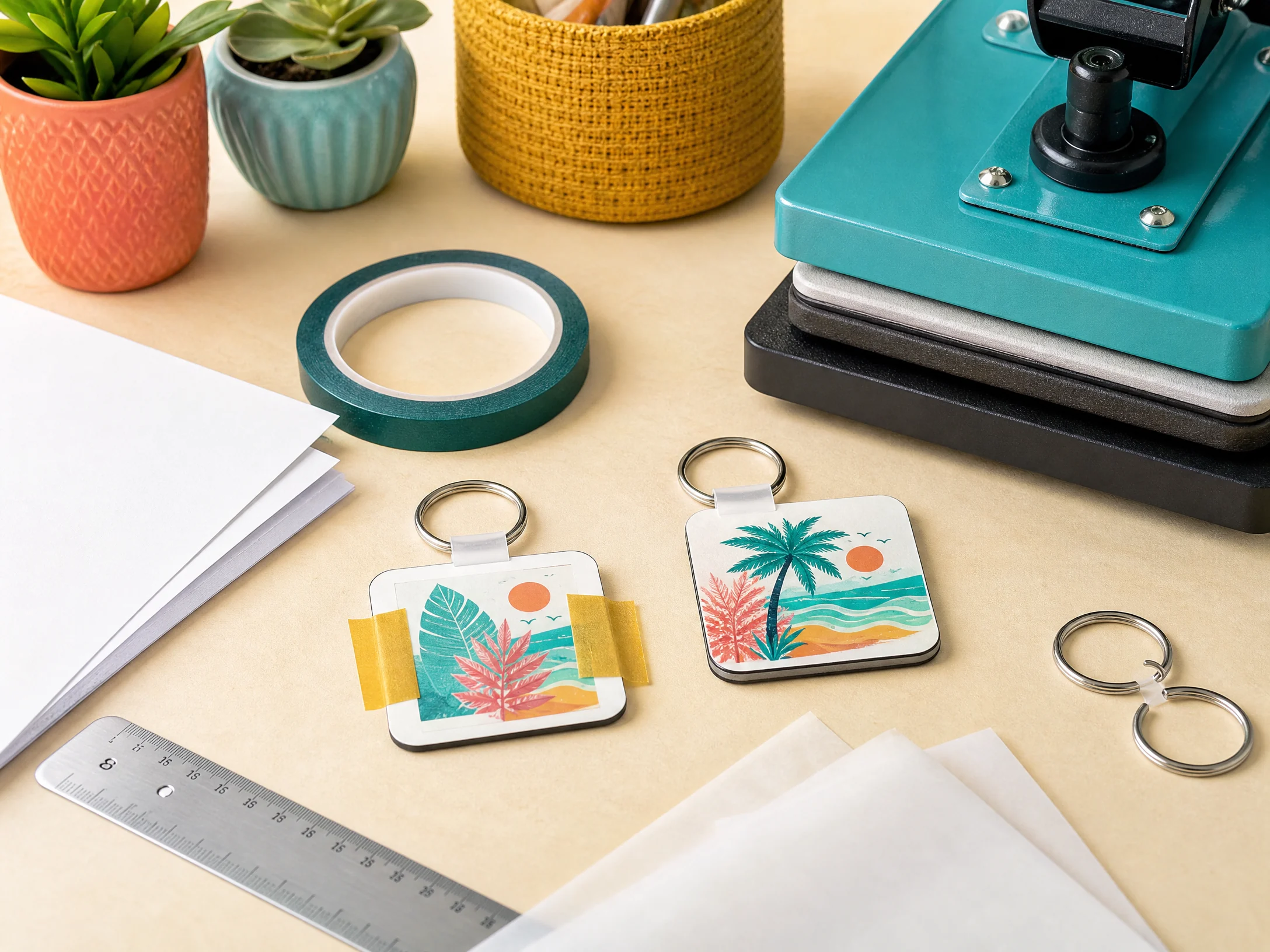
7. Tape the transfer securely
Place the printed side of the transfer against the printable surface. Align the design and secure it with heat-resistant tape.
Tape the edges without covering more of the printable surface than necessary. A keychain has very little unused background to hide a shifted transfer, so even a small movement can produce a visible double edge.
8. Add protective paper
Place protective paper beneath the blank and another clean sheet above the transfer. This protects the press from stray ink and helps shield the blank from direct contact with the platen.
Use clean protective sheets for each batch. Ink transferred from a previous project can contaminate a light blank.
9. Press the keychain
Use the specific settings supplied with your blank. Settings vary widely between materials and manufacturers.
As examples, Unisub lists 385°F / 195°C as its recommended press temperature and gives different time ranges for aluminum, FRP, and natural wood products.[1] A current Joto guide describes approximately 380°F for 45 seconds as a starting point for one polymer-coated leather keychain, while emphasizing that the exact coating and blank thickness matter.[2]
These examples are not universal settings. Do not use an acrylic recipe for a faux-leather blank or a wood setting for a thin FRP keychain.
10. Cool before peeling when required
Remove the pressed blank with heat-resistant gloves. Some blanks can be peeled promptly, while others benefit from cooling before the paper or tape is removed.
Acrylic and faux-leather products may be especially sensitive to movement, tape marks, or warping while hot. Lift the transfer straight up rather than dragging it across the surface.
11. Attach the hardware
After the keychain is cool, attach the hardware recommended for the blank. Depending on the design, this may include:
- A split key ring
- A jump ring
- A plastic tab
- A lanyard clip
- A tassel
- A swivel clasp
Use jewelry pliers when needed, and check that the hardware is fully closed before packaging the finished product.
Sublimation Keychain Settings Chart
The table below provides starting-point examples, not guaranteed universal recipes.
| Keychain material | Starting temperature | Starting time | Pressure | Important notes |
|---|---|---|---|---|
| FRP keychain | Around 385°F / 195°C | 60–70 seconds per side | Medium | Follow the exact FRP blank instructions |
| Aluminum keychain | Around 385°F / 195°C | 40–50 seconds per side | Medium | Some products allow both sides at once |
| Natural coated wood | Around 385°F / 195°C | 40–50 seconds per side | Medium | Cool flat to help reduce warping |
| Polymer-coated faux leather | Around 360–380°F / 182–193°C | Around 45–55 seconds | Light to medium | Protect glitter or decorative reverse surfaces |
| Acrylic sublimation blank | Around 385–400°F / 196–204°C | Around 50–60 seconds | Light to medium | Confirm the printable side and orientation |
| Neoprene lanyard keychain | Around 400°F / 204°C | Around 50 seconds per side | Medium | Use a pressing pillow or support when appropriate |
Unisub’s official instructions list 40–50 seconds per side for aluminum, 60–70 seconds per side for FRP bag tags, and 40–50 seconds per side for natural wood bag tags at 385°F / 195°C.[1] A multi-material tutorial from The Country Chic Cottage uses different example settings for plastic, faux leather, acrylic, and neoprene, which illustrates why the blank-specific guide should take priority.[3]
Before producing customer orders, press one test piece and record:
- Blank brand and material
- Temperature
- Time
- Pressure
- Paper and ink
- Whether the design was mirrored
- Cooling and peeling method
- Final result after washing or normal handling, when applicable
For broader material guidance, use our Sublimation Temperature Chart and Sublimation Heat Press Settings guide.
How to Sublimate Acrylic Keychains
Acrylic keychains require careful attention to the viewing direction.
- Confirm that the blank is made for sublimation.
- Identify the frosted or printable side.
- Remove protective film.
- Clean the blank with a lint-free cloth or lint roller.
- Place the transfer on the printable side.
- Confirm whether the design should be mirrored based on how the front will be viewed.
- Tape the transfer securely.
- Add protective paper above and below the blank.
- Press using the acrylic supplier’s recommended settings.
- Cool and assemble with jump rings or a key ring.
Acrylic can show alignment errors clearly because the design is viewed through the material. Test the orientation before committing to names, dates, or directional artwork.
How to Sublimate Faux-Leather Keychains
Faux-leather sublimation keychains are often printed on the white side while the reverse remains glittered or colored.
- Confirm that the white side is the sublimation surface.
- Lint-roll the printable side.
- Mirror the design before printing.
- Position and tape the transfer.
- Cover the blank with protective paper.
- Press according to the blank instructions.
- Allow the product to cool fully if the reverse or tape is heat-sensitive.
- Remove the paper and tape carefully.
- Add the ring or hardware.
Do not assume that the glitter side can be pressed directly. Heat and tape can affect decorative surfaces, so follow the supplier’s instructions and test one piece first.
How to Make Double-Sided Sublimation Keychains
Double-sided keychains can show a name on one side and a date, logo, message, or pattern on the other. The workflow depends on the blank.
Press one side at a time
This is the most straightforward approach for FRP, wood, and many coated keychains:
- Prepare and mirror both transfers if required.
- Align the first transfer with one side of the blank.
- Secure it with a small amount of heat-resistant tape.
- Add protective paper.
- Press the first side.
- Allow the blank to cool as directed.
- Align the second transfer on the reverse.
- Tape it securely without covering more of the surface than necessary.
- Press the second side.
- Cool and assemble the hardware.
Press both sides at once
Some aluminum keychains or specially designed blanks may permit both sides to be pressed together. Create a transfer pouch by positioning a transfer on each side, aligning the blank between them, and taping the transfers together.
Do not assume that this method is safe for every material. If the blank has a white coated surface on only one side, pressing both sides at once may produce an incomplete or damaged result.
Unisub specifically describes different one-side and two-side options depending on the substrate and product.[1]
How to Size a Sublimation Keychain Design
The correct design size depends on the blank’s printable surface. There is no universal size for every keychain.
Use the blank template when available
A manufacturer template is the most accurate starting point. It may show:
- Finished shape
- Bleed area
- Safe area
- Keyring hole
- Front and back orientation
- Left or right placement
- Separate layers for cutting and artwork
Keep names, faces, logos, and small text inside the safe area. Extend only background colors into the bleed area when the blank’s construction allows it.
Measure when there is no template
Use a ruler or caliper to record:
- Maximum length
- Maximum width
- Curve radius
- Distance from the design to the keyring hole
- Printable side or sides
- Areas blocked by hardware
Create the design at approximately 300 DPI and test it at its actual final size on screen or on plain paper. Tiny details that look good at full size may not be readable once reduced.
Common Sublimation Keychain Problems
Why is my keychain faded?
A faded design may result from an incompatible blank, insufficient heat, insufficient time, incorrect pressure, damp paper, or incorrect printer settings. Confirm the blank’s printable surface before increasing the press settings.
Why is my keychain blurry or doubled?
The transfer probably moved. Use closer trimming, better tape placement, and careful removal. Do not slide the hot paper across the blank.
Why did my keychain warp?
Thin plastic, acrylic, wood, or flexible materials can warp as they heat and cool. Follow the supplier’s cooling instructions and allow the blank to cool on a flat surface. A clean flat weight may help some products, but use it only if the blank maker recommends it.
Why is the design on the wrong side of my acrylic keychain?
Acrylic is often viewed through the clear side after printing on the frosted side. The artwork may need a different mirror setting than a standard front-printed blank. Test the viewing direction with a simple design before pressing a personalized batch.
Why did the tape leave a mark?
Tape can leave a mark when it covers too much of the coated surface, is left on while the blank is hot, or interacts with a decorative reverse. Use the smallest practical pieces of tape and follow the supplier’s cooling instructions.
Why are there white specks?
Dust, fibers, fingerprints, or gaps between the transfer and blank can cause missing spots. Clean the surface and make sure the transfer is flat and fully supported.
Why did the keyring hole tear?
The hole is the highest-stress point on many keychains. Heavy hardware or daily use can enlarge or tear an unreinforced hole. For products carrying a heavy set of keys, consider a blank with an eyelet or reinforced hole.
Pricing Sublimation Keychains for a Small Business
Keychains use relatively little paper and ink, but the design and preparation time can still affect profitability. When setting a price, include:
- Blank cost
- Keyring and hardware
- Ink and paper
- Protective materials
- Electricity
- Packaging
- Marketplace or payment fees
- Design and setup time
- Pressing and assembly labor
A reusable stock design can be priced differently from a one-off custom name or logo. Double-sided products also require more printing, alignment, pressing, and quality control, so do not treat the second side as free labor.
Keychains can work well as add-ons to matching mugs, tumblers, shirts, or event products. Our guide on how to start a sublimation business covers broader pricing and product-planning considerations.
Care and Durability Notes
Give customers care guidance based on the exact blank. Avoid promising that every keychain is waterproof, scratch-proof, or suitable for heavy daily use.
For products with decorative glitter or faux-leather surfaces:
- Avoid soaking unless the manufacturer confirms water resistance.
- Keep the product away from high heat.
- Do not use harsh solvents on the printed surface.
- Protect the printed face from abrasive contact.
- Avoid attaching excessive weight to the keyring hole.
Frequently Asked Questions
What is the best blank for sublimation keychains?
The best blank depends on the product style. FRP and coated aluminum are useful for durable flat keychains, acrylic creates a transparent modern look, faux leather works well for monograms and boutique designs, and neoprene is useful for lanyard-style products. Always use a blank specifically made for sublimation.
Do you mirror sublimation keychain designs?
Usually, yes, when the transfer is pressed face down onto a front-printing surface. Acrylic blanks printed on the back and viewed through the front may require a different orientation. Test the exact blank before production.
Can you sublimate both sides of a keychain?
Yes, if the blank is designed for two-sided sublimation. Many products are pressed one side at a time, while some aluminum products may allow both transfers to be pressed together. Follow the blank manufacturer’s instructions.
What temperature do you use for sublimation keychains?
A common starting range is approximately 360–400°F, but the correct temperature depends on the material and coating. Unisub lists 385°F / 195°C for its keychain products, while other blanks require different settings.
How long do you press a sublimation keychain?
Many keychain blanks fall between approximately 40 and 70 seconds per side, but the exact time varies by substrate, thickness, coating, and press. Always test one blank first.
Can you sublimate on regular plastic keychains?
Usually not. Traditional sublimation requires polyester or a compatible polymer coating. Use a blank specifically labeled for sublimation.
What size should a keychain sublimation design be?
Size the artwork to the exact printable area of the blank or use the manufacturer’s template. Keep important text and logos inside the safe area and avoid placing critical details over the keyring hole.
Final Keychain Sublimation Checklist
Before pressing, confirm that:
- The blank is made for sublimation.
- You know the printable side and viewing direction.
- Protective film has been removed.
- The design has been measured and sized correctly.
- The artwork is mirrored when required.
- The transfer is trimmed and taped securely.
- Protective paper is above and below the blank.
- The settings match the blank manufacturer’s instructions.
- You have tested one piece before starting a batch.
- The blank has cooled before peeling or assembling hardware.
With the right blank, a simple design, careful alignment, and product-specific testing, sublimation keychains are an approachable project for beginners and a practical add-on product for a small sublimation business.