Sublimation flip flops are a fun warm-weather product for beach trips, bridal parties, vacations, family reunions, gifts, and small businesses. The process is straightforward when you use the correct blank, measure the printable area, and keep the transfer flat during pressing.
This guide answers four common questions:
- How do you sublimate flip flops?
- What are sublimation flip flops made of?
- Can a sublimation print overlap a flip flop?
- What size sublimation print do you need for a flip flop?
Quick answer: Use a flip-flop blank made specifically for sublimation, usually with an EVA or foam base and a polyester or sublimation-ready top surface. Print a mirrored design sized to the blank’s printable panel, keep important artwork away from the edges and strap holes, and press using the blank manufacturer’s instructions.
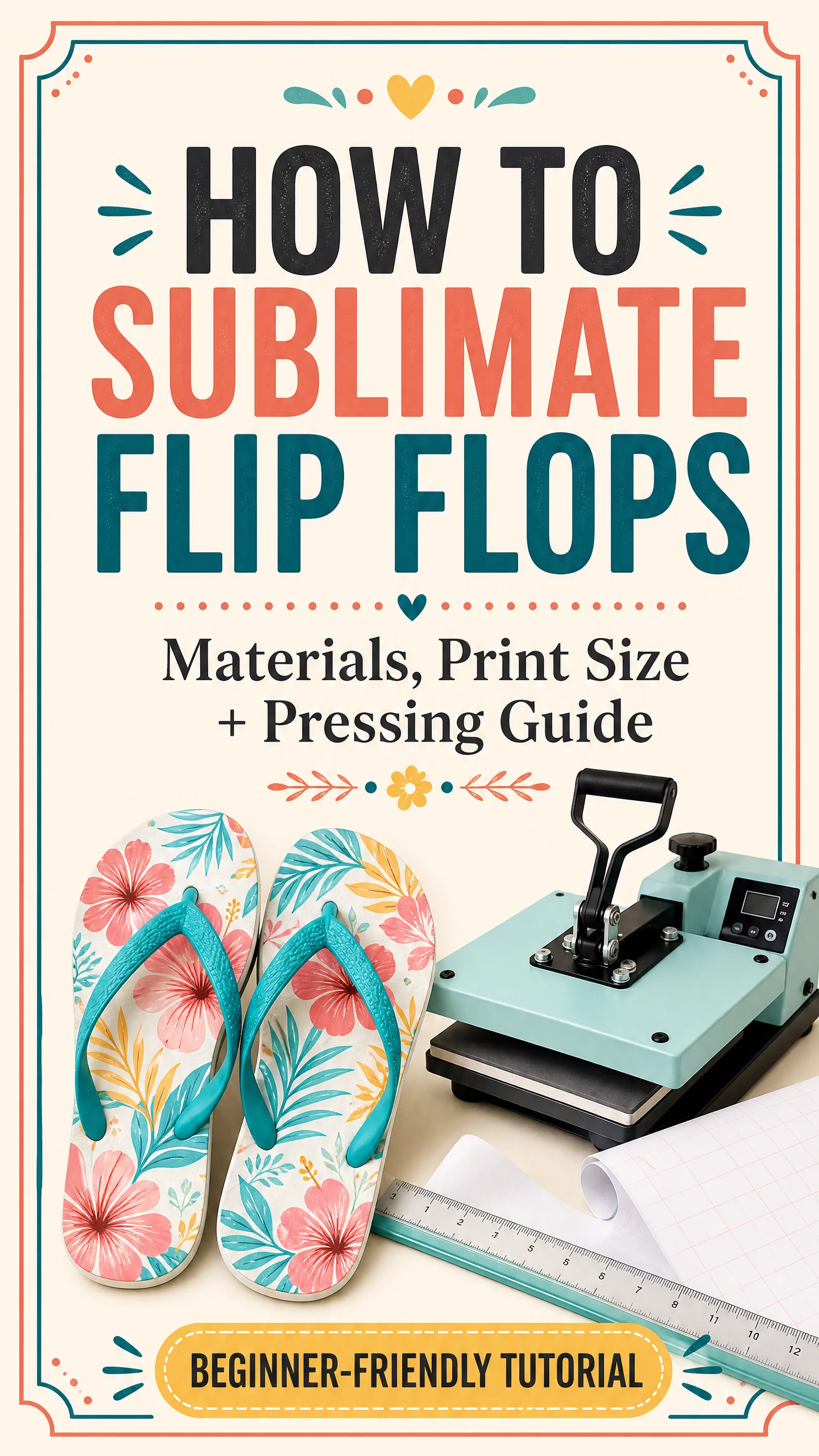
What Are Sublimation Flip Flops Made Of?
Most traditional sublimation flip-flop blanks have two main parts:
- An EVA foam or rubber-like sole that provides the shape and cushioning.
- A white polyester fabric, polyester top cloth, or sublimation-ready polymer surface on top of the sole where the image is transferred.
BestSub describes its sublimation flip-flops as EVA foam blanks with a polyester top cloth for sublimation printing. Other suppliers sell variations with a sublimation-ready PU or faux-leather upper, colored soles, or different strap assemblies.
The important point is that the printable top surface must be designed for sublimation. The bottom of the sole, ordinary rubber, plastic straps, and untreated materials are not automatically compatible with dye sublimation.
Before purchasing, check the product listing for:
- The printable surface material
- The recommended temperature and time
- Whether the straps are removable
- The finished sole dimensions
- A downloadable design template
- Whether the blank is intended for a flat heat press
- Whether the supplier recommends protective paper or a finishing sheet
Never assume that every flip flop can be sublimated just because it is white. A regular retail flip flop may scorch, melt, reject the ink, or produce a very weak transfer.
What You Need to Sublimate Flip Flops
Gather these supplies before starting:
- Sublimation-ready flip-flop blanks
- Sublimation printer and ink
- Sublimation paper
- Flat heat press
- Heat-resistant tape
- Finishing paper, parchment, or protective paper recommended for the blank
- Lint roller or lint-free cloth
- Heat-resistant gloves
- Scissors or a paper trimmer
- A flip-flop design template, if supplied
- Strap assembly tool, if the straps are removed before pressing
For general equipment guidance, see Sublimation Co.’s Sublimation for Beginners guide and Sublimation Heat Press Settings guide.
How to Sublimate Flip Flops Step by Step
1. Choose a compatible blank
Select a blank labeled specifically for sublimation. Confirm whether the blank has a polyester cloth top, sublimation-ready PU surface, or another compatible coating.
If the straps are already installed and cover part of the printable area, check whether the supplier expects you to remove them first. Many blanks are easier to press with the straps removed and installed after the transfer cools.
2. Measure the printable surface
Do not choose your print size based only on the shoe size. Two flip flops marked with the same size can have different shapes, toe curves, edges, and printable areas.
Measure the top surface at its widest and longest points. Also measure around the strap holes and any areas that are not covered by the printable material.
If the supplier provides a template, use it instead of drawing your own outline. Templates account for the shape of the blank and usually show safe zones for important text and artwork.
3. Create or prepare the design
Set up the artwork at approximately 300 DPI. Place names, logos, and small details well inside the safe area so they do not run into the curved edges, strap holes, or toe area.
For a matching pair, you can use the same design on both soles or create a left-and-right variation. If the design contains text or a directional illustration, check the orientation before printing.
4. Mirror the design
Mirror the artwork horizontally before printing. The printed side will face the sublimation surface during pressing, so mirroring is necessary for text, names, dates, and directional designs to read correctly after transfer.
Print on the coated side of your sublimation paper using the settings recommended for your printer, ink, and paper. Our Epson Sublimation Printer Settings guide can help with the printer side of the workflow.
5. Prepare the flip-flop top
Remove dust and loose fibers with a lint roller or lint-free cloth. If the blank supplier recommends cleaning the surface, follow that instruction and allow the surface to dry completely.
Do not use a chemical cleaner unless the blank manufacturer says it is safe. Some coatings and PU surfaces can react differently to alcohol or other cleaning products.
6. Position and tape the transfer
Place the transfer face down on the printable top surface. Align the artwork with the template or measured area and secure it with heat-resistant tape.
Use enough tape to prevent the paper from shifting, but avoid putting tape over areas that could leave unwanted marks. Make sure the transfer is flat and not folded around the edge.
7. Protect the press and blank
Place a clean finishing sheet or protective paper below the flip flop and another sheet above the transfer if recommended by the supplier. Protective sheets help reduce the risk of ink transfer to the press platen and help protect the blank from direct contact with the heating surface.
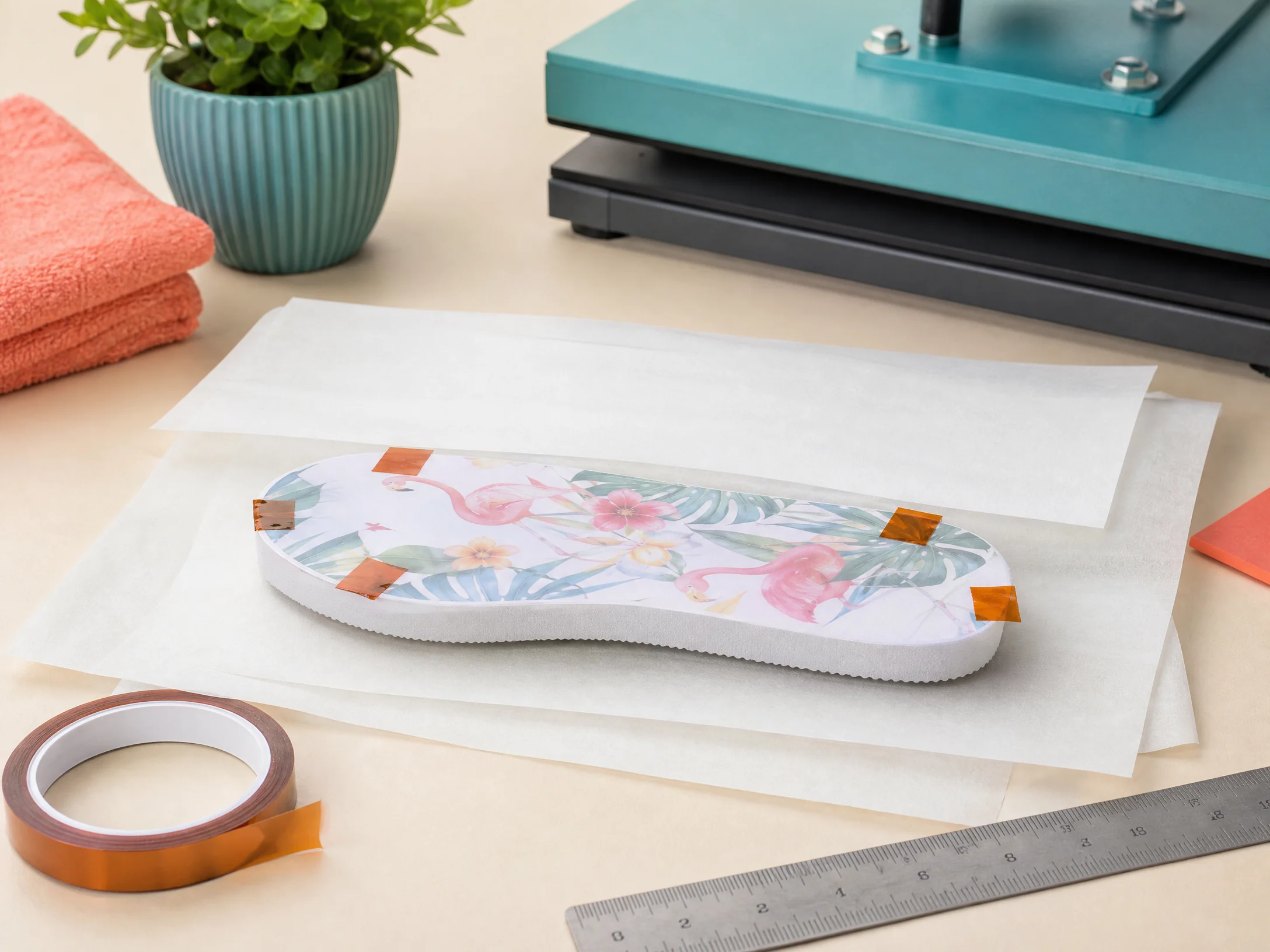
Do not press a blank with exposed straps, metal decorations, or thick hardware unless the supplier specifically says that the setup is safe.
8. Press the flip flops
Use the manufacturer’s settings as your primary reference. One ColDesi flip-flop workflow uses light pressure at 375°F for 45 seconds, but the correct settings can vary by blank construction, top layer, press, paper, and ink.
Start with a single test blank. If the design is pale, uneven, or overcooked, change only one setting at a time. Avoid copying a setting from a mug, tumbler, or shirt because different substrates absorb and distribute heat differently.
9. Remove the transfer carefully
When the cycle is complete, use heat-resistant gloves and remove the transfer promptly if the blank instructions recommend a quick peel. Lift the paper straight up rather than sliding it across the surface.
Sliding a hot transfer can create ghosting or a double image. Place the flip flop on a heat-safe, flat surface and allow it to cool according to the manufacturer’s guidance.
10. Reinstall the straps
If you removed the straps, reinstall them after the printed sole has cooled. Use the supplied strap assembly tool or the method recommended by the blank supplier.
Check that each strap is fully seated before packaging or wearing the finished flip flops.
What Size Sublimation Print Do You Need for a Flip Flop?
There is no universal sublimation flip-flop print size. The correct size depends on the blank’s actual printable surface, not just the adult, youth, small, medium, or large label.
Best method: use the supplier template
A manufacturer template is the most accurate option. Open it in your design software at its original size, confirm the document units, and avoid resizing it accidentally when exporting or printing.
Templates commonly show:
- The outside contour of the printable area
- The strap-hole locations
- The safe area for text and logos
- The bleed area that may be trimmed or covered by the edges
- Separate left and right sole layouts
If no template is available, measure the blank
Use a ruler to measure:
- The maximum printable length from heel to toe
- The maximum printable width at the widest part
- The distance between strap holes
- The usable area after excluding curved or unfinished edges
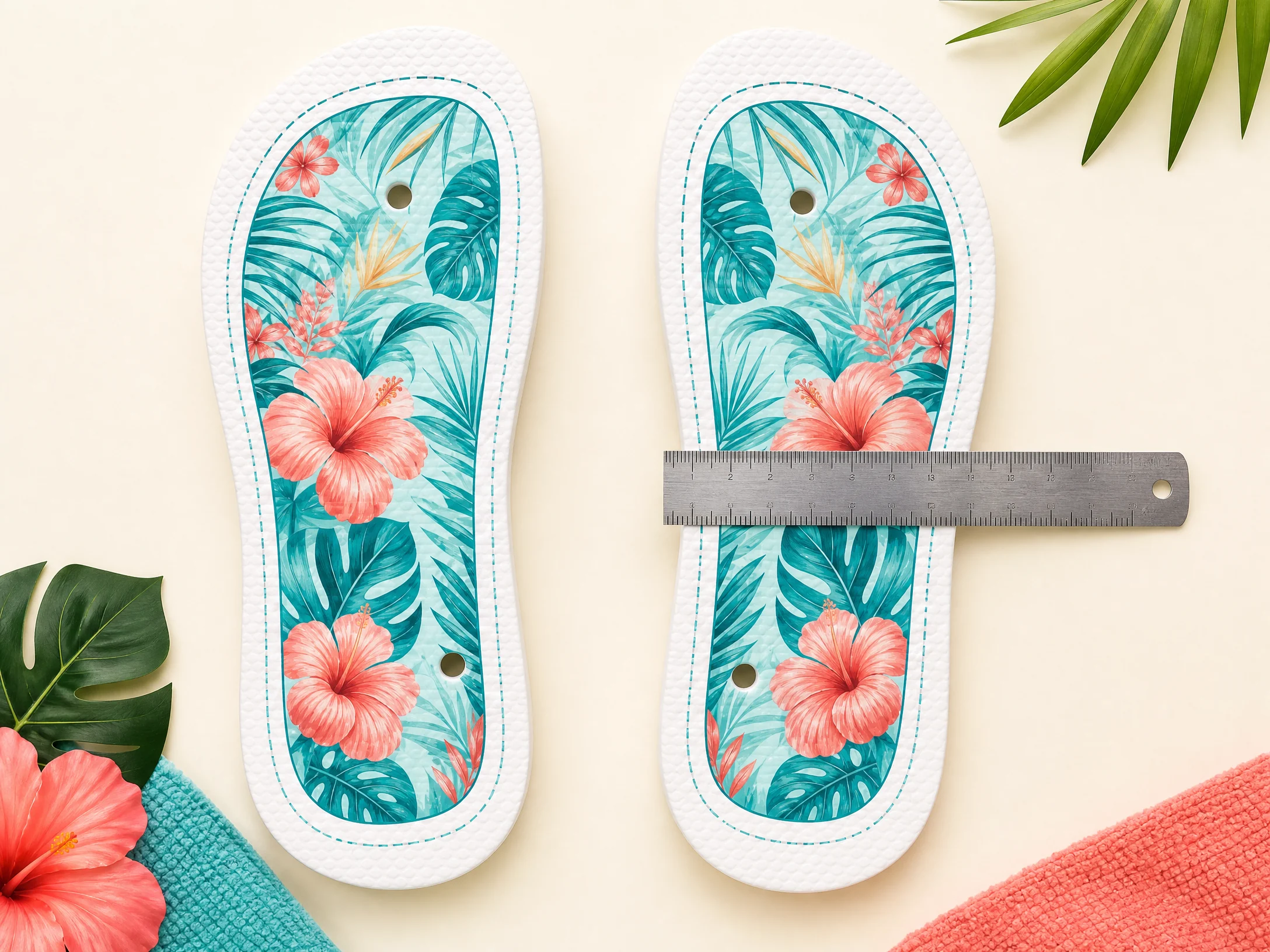
Create an outline based on those measurements. Add a small bleed beyond the finished printable area only if the supplier’s construction allows it. Keep important content inside a safe margin—approximately 0.25 inch is a practical starting point for many layouts, but the shape of the blank matters more than a fixed number.
A simple sizing formula is:
Design canvas = measured printable area + optional bleed
For example, if the usable top panel measures 10 inches by 4 inches, you might create a 10.25-inch by 4.25-inch canvas only when the blank has a printable edge that can accept the bleed. Keep names, faces, and critical details inside the smaller safe area.
Do not use a generic flip-flop template without comparing it to your actual blank. The toe shape, heel width, strap holes, and supplier dimensions may differ.
Can a Sublimation Print Overlap a Flip Flop?
The answer depends on what you mean by “overlap.”
Can the design extend slightly beyond the printable panel?
Sometimes. A design may be created slightly larger than the top panel to help avoid a thin unprinted border, but only the sublimation-ready surface should receive the transfer. If the artwork extends onto untreated EVA, rubber, the sidewall, or a non-coated edge, the result may be faded, uneven, or discolored.
Use bleed for background colors—not for important text or faces. Keep critical details inside the safe area.
Can the design overlap the strap holes?
It can, but the holes will remove part of the design when the straps are installed. Avoid placing important artwork across the holes. A background pattern can cross them, but names, logos, and faces should not.
Can the transfer overlap the straps?
Avoid pressing over installed straps unless the blank supplier specifically approves that process. Straps can create uneven pressure, leave marks, block the transfer, or be damaged by heat.
When possible, remove the straps before sublimation and reinstall them after cooling.
Can one design overlap both flip flops?
You can create a coordinated pair, but each sole must have its own correctly positioned transfer. Do not place two soles on top of each other or treat the pair as one flat printing surface. Print each sole separately using the correct left and right placement.
Sublimation Flip-Flop Starting Settings
Use the blank manufacturer’s chart first. If no chart is provided, a cautious test range may be useful:
| Blank type | Starting temperature | Starting time | Pressure | Important note |
|---|---|---|---|---|
| Polyester-top flip flop | Around 375°F / 190°C | Around 45 seconds | Light | Confirm the top layer can accept the heat |
| Sublimation-ready PU upper | Supplier-specific | Supplier-specific | Light to medium | Do not substitute settings from a fabric flip flop |
| EVA sole with polyester cloth | Supplier-specific | Supplier-specific | Light | Protect the foam and avoid excessive pressure |
These are starting points, not guarantees. ColDesi’s published workflow uses 375°F for 45 seconds with light pressure for its flip-flop setup. Your blank may require different settings, especially if it has a PU upper, a colored sole, a thicker top layer, or a different coating.
For broader reference, review our Sublimation Temperature Chart and test before producing a full batch.
Common Flip-Flop Sublimation Problems
Faded or pale design
Possible causes include an incompatible blank, insufficient heat or time, weak pressure, damp transfer paper, or incorrect printer settings. Confirm that the top surface is sublimation-ready before changing the press settings.
Ghosting or blurry edges
Ghosting usually means the transfer moved. Tape the paper securely and lift it straight off after pressing. Do not slide the transfer across the hot surface.
White border around the design
A white border may mean the design is too small, the template was resized incorrectly, or the printable panel is smaller than expected. Use the exact blank measurements and add bleed only where the surface can accept it.
Missing areas around the strap holes
This may be normal if the holes cut through the artwork. Move important details away from the holes and use a background pattern if you want the design to continue visually around them.
Uneven color near the toe or heel
Curved edges, thick foam, and uneven pressure can create inconsistent transfer. Confirm that the blank is flat, the press is applying even pressure, and the transfer is in full contact with the printable surface.
Scorching, melting, or warped foam
Stop the process and check the blank’s instructions. The blank may not be rated for the temperature, time, or pressure being used. Use protective sheets and do not continue increasing heat to compensate for an incompatible blank.
Safety and Care Notes
- Wear heat-resistant gloves when handling a hot blank.
- Keep hands away from the press platen and heating elements.
- Use a heat-safe, flat cooling surface.
- Follow the blank supplier’s care instructions.
- Do not claim that every sublimated flip flop is waterproof, dishwasher-safe, or suitable for high heat.
- Test the finished product before selling it.
- Tell customers that excessive heat, harsh chemicals, and rough wear may affect the print or the flip-flop construction.
Frequently Asked Questions
How do you sublimate flip flops?
Use a sublimation-ready flip-flop blank, measure or download the template, mirror and print the design, tape it face down to the top surface, protect the press with finishing sheets, and press using the blank manufacturer’s settings. Remove the transfer straight up, cool the sole, and reinstall the straps if necessary.
What are sublimation flip flops made of?
Many are made with an EVA foam sole and a polyester top cloth or another sublimation-ready top surface. Some models use a PU or faux-leather sublimation upper. Always check the exact product listing because materials vary.
Can sublimation print overlap a flip flop?
A background design can sometimes extend slightly beyond the printable panel as bleed, but important artwork should stay inside the safe area. Avoid transferring onto untreated EVA, rubber sidewalls, strap hardware, or installed straps.
What size sublimation print do I need for my flip flops?
Use the supplier’s template whenever possible. If there is no template, measure the longest and widest usable top surface, exclude strap holes and unfinished edges, and create a canvas based on those measurements with a small optional bleed. Shoe size alone is not enough to determine print size.
Do I need to mirror a flip-flop sublimation design?
Yes. Mirror the design before printing because the transfer is pressed face down. This is essential for text, names, logos, and directional artwork.
Can I use regular flip flops for sublimation?
Usually not. Standard retail flip flops may not have a polyester or sublimation-ready surface and may not tolerate the required heat. Use blanks specifically labeled for sublimation.
Should I remove the straps before sublimating?
If the blank is designed for strap removal, it is usually easier and safer to press the sole without the straps. Reinstall them after the sole cools. Follow the supplier’s instructions for the exact blank.
Final Flip-Flop Sublimation Checklist
Before pressing, confirm that:
- The blank is specifically made for sublimation.
- You know the top printable surface material.
- You have measured the actual blank or downloaded its template.
- The design is mirrored and sized correctly.
- Important artwork avoids strap holes and edges.
- The transfer is taped firmly and lies flat.
- Protective sheets are in place.
- The temperature, time, and pressure match the blank instructions.
- You have tested one blank before starting a production batch.
With the right blank and a measured design, sublimation flip flops are a practical project for beginners and a useful seasonal product for a sublimation business.