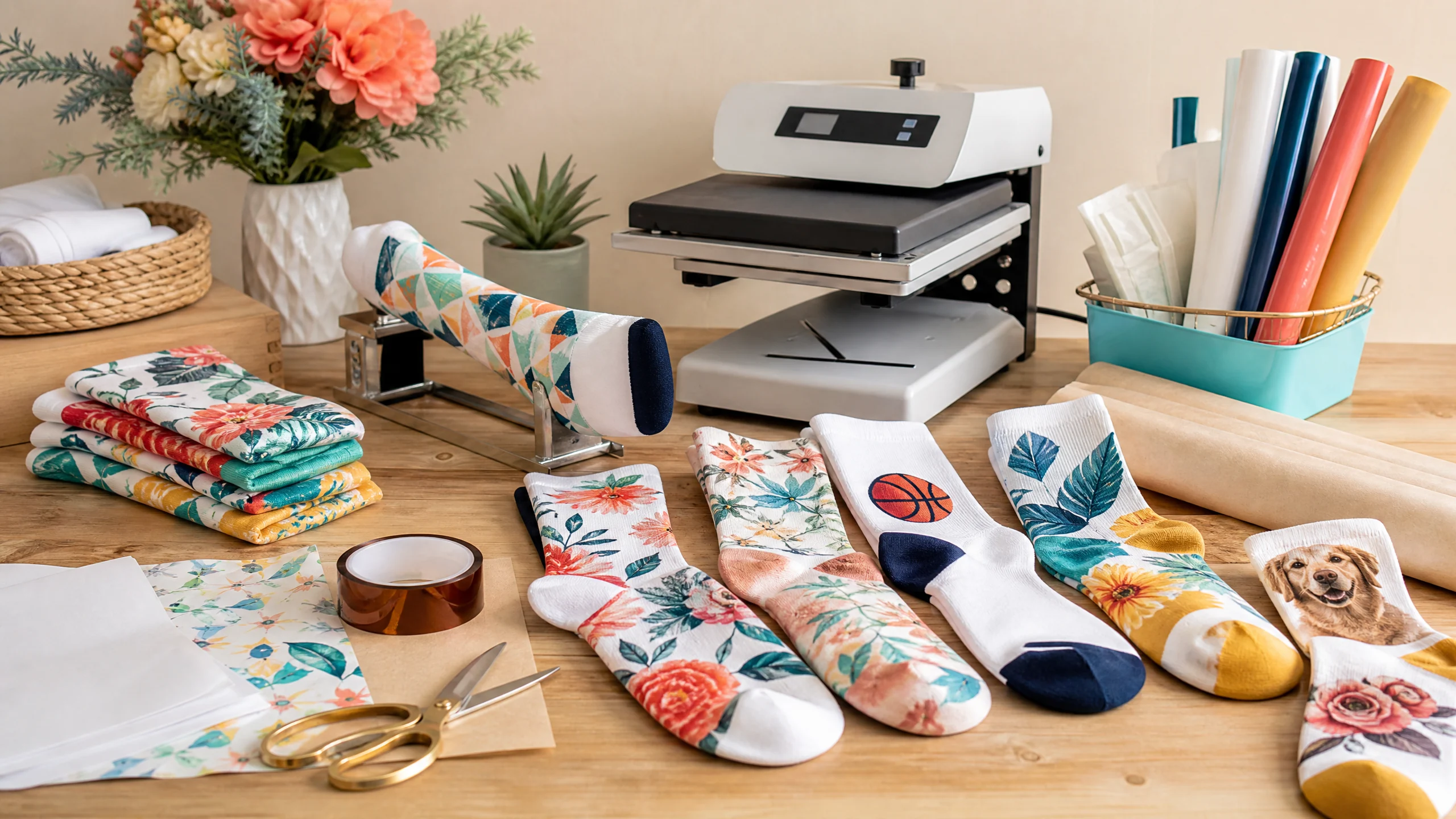
How to Sublimate Socks: Best Blanks, Settings, Sizing, and Pressing Tips
Sublimation socks are a colorful way to create personalized gifts, team products, event favors, holiday designs, small-business merchandise, and matching accessories. The process is beginner-friendly when you use the correct sock blank and keep the fabric flat and supported during pressing.
The biggest mistake is treating socks exactly like flat polyester shirts. Socks stretch, have seams, heels, toes, cuffs, and curved surfaces. A sock jig or insert helps create a stable pressing surface, but the correct setup still depends on the sock’s fiber content, thickness, shape, and manufacturer instructions.
This guide explains how to sublimate socks from blank selection through final inspection. You will learn which socks work best, how to size the artwork, whether to mirror the design, how to use a sock jig, which settings to test, and how to prevent ghosting, press marks, fading, and uneven coverage.
Quick answer: Use a white or light-colored sock blank with a high polyester content and a sublimation-compatible surface. Place the sock on a jig or insert, mirror the design when the transfer is placed face down, secure it with heat-resistant tape, and begin with a manufacturer-recommended polyester setting. A common starting point is around 385–400°F for 35–60 seconds with medium pressure, but the blank supplier’s instructions should always take priority.
What Socks Work Best for Sublimation?
The best socks for dye sublimation have a white or light polyester surface that can accept sublimation ink. Polyester fibers are important because sublimation dye bonds with polyester when heat turns the solid dye into a gas.
Look for sock blanks labeled specifically for sublimation. Good options may include:
- White polyester crew socks
- Polyester ankle socks
- Quarter socks with a sublimation-ready print area
- Tube socks designed for full-surface printing
- Polyester-blend socks with a high enough polyester content
- Sublimation lanyard or novelty sock blanks, when the manufacturer confirms compatibility
A sock that is merely white is not automatically suitable. Regular cotton socks, dark socks, and untreated athletic socks may produce weak, faded, or incomplete results.
Sock Club explains that sublimation on socks requires careful control of time and temperature and notes that polyester sock materials commonly use temperatures in the 380–400°F range.[1] Sawgrass lists polyester fabric as a starting point of 400°F for 45 seconds with medium pressure, while also warning that the chart is only a starting place and that blank-maker instructions should be followed.[2]
Polyester percentage matters
Higher-polyester socks generally produce brighter sublimation results. A polyester blend may work if its printable surface is designed for sublimation, but the final appearance can be less saturated than a high-polyester blank.
Cotton fibers do not permanently bond with standard sublimation dye in the same way polyester does. For cotton socks, use a compatible sublimation product or a different decoration method rather than assuming ordinary sublimation ink will work.
White socks give the most predictable color
Sublimation ink is translucent. It does not act like opaque screen-printing ink. A white sock provides the cleanest color base, while a colored sock can change the appearance of the design.
For bright reds, blues, pinks, and skin tones, use a white printable surface unless the supplier specifically offers another color system.
Types of Socks You Can Sublimate
Crew socks
Crew socks are one of the most practical choices for beginners because the printable area is long enough for logos, names, patterns, and repeating artwork. A crew sock can be pressed in sections if the design covers more than the jig or platen area.
Ankle socks
Ankle socks have a shorter print area and may require a smaller design. Avoid placing important artwork across the cuff, heel transition, or toe unless the blank template specifically includes those areas.
Quarter socks
Quarter socks can work well for sports designs and small logos. Measure the actual printable panel because the ribbing and heel shape may reduce the usable area.
Tube socks
Tube socks can provide a larger continuous print area, but they may require careful stretching and support. Use a jig or form that matches the sock’s shape so the transfer does not wrinkle.
Novelty and lanyard-style blanks
Some specialty blanks contain polyester fabric or neoprene-like materials. Treat these as separate products and follow their own pressing instructions. Do not assume that a polyester sock setting is safe for every flexible blank.
Supplies Needed for Sublimation Socks
Gather these supplies before starting:
- Sublimation-compatible sock blanks
- Sublimation printer and ink
- Sublimation transfer paper
- Flat heat press
- Sock jig, insert, or form
- Heat-resistant tape
- Protective paper or finishing sheet
- Lint roller
- Scissors or paper trimmer
- Heat-resistant gloves
- Ruler or design template
- Pressing pillow or pad, if recommended
- Clean flat cooling surface
ColDesi’s sock customization workflow uses a sublimation printer, polyester sock blanks, heat tape, a finishing sheet, and a sock jig to hold the socks during pressing.[3]
For general beginner guidance, see our Sublimation for Beginners guide. For printer setup, see our Epson Sublimation Printer Settings guide.
What Is a Sublimation Sock Jig?
A sock jig is an insert or form that slides inside the sock and helps create a firm, smooth surface for the transfer. It can also help position the sock consistently for repeat orders.
A jig helps with:
- Keeping the printable panel flat
- Supporting the fabric during pressing
- Reducing wrinkles and folds
- Aligning the left and right sides
- Keeping seams, heels, and cuffs in a predictable position
- Repeating the same placement on multiple socks
A jig does not eliminate all stretching. If the sock is pulled too tightly over the form, the design may appear distorted after the sock returns to its normal shape. Use enough tension to smooth the fabric without overstretching it.
How to Sublimate Socks Step by Step
1. Choose a compatible sock blank
Select a sock labeled for sublimation or a sock blank with a confirmed polyester printable surface. Check the size, style, fiber content, heel placement, cuff construction, and recommended press settings.
If you are making a customer order, test the exact blank before printing the full batch. Two socks with similar fiber percentages can still respond differently because of their knit structure and coating.
2. Wash or inspect the socks according to the supplier’s instructions
Do not add fabric softener or an unapproved treatment. If the supplier recommends washing before pressing, follow that instruction and allow the socks to dry completely.
Inspect the sock for loose fibers, lint, seams, loose threads, and damaged areas. Sublimation will not hide a construction problem.
3. Insert the sock jig
Slide the sock over the jig or insert. Smooth the printable area so there are no folds, wrinkles, or trapped fibers.
Align the heel, toe, cuff, and seam with the jig’s intended position. If the sock is asymmetrical, mark a reference position so the artwork stays consistent.
4. Measure the printable area
Measure the area that will actually touch the transfer and press. Do not size the design from the sock’s total length alone.
Record:
- Maximum printable width
- Maximum printable height
- Distance from the cuff
- Distance from the heel and toe
- Seam location
- Whether the design wraps around the side
- Safe area for names, faces, and logos
If the blank manufacturer provides a template, use it at its original size.
5. Create a sock-friendly design
Bold, high-contrast artwork usually works best. Consider:
- Repeating patterns
- Large initials
- Short names
- Team numbers
- Simple logos
- Holiday icons
- Floral or geometric patterns
- Coordinated left-and-right sock designs
Avoid tiny text, extremely thin lines, and detailed faces unless the printable area is large enough to preserve them.
Remember that the knit fabric stretches when worn. A design that is already crowded on the flat sock may become harder to read when the sock is stretched over a foot.
6. Mirror the design when required
For most sock sublimation workflows, mirror the design before printing because the transfer is placed printed-side-down against the sock.
Check the design orientation before printing. If the artwork includes text, a directional illustration, or a face, print a small test and confirm that it reads correctly after pressing.
7. Print and trim the transfer
Print on the coated side of sublimation paper using the correct printer profile and ink settings. Trim the transfer close enough to reduce excess paper, but leave enough margin for secure taping.
For a design that wraps around a sock, make sure the transfer is wide enough to cover the intended panel without creating a bulky fold or overlapping unevenly at the seam.
8. Position the transfer on the sock
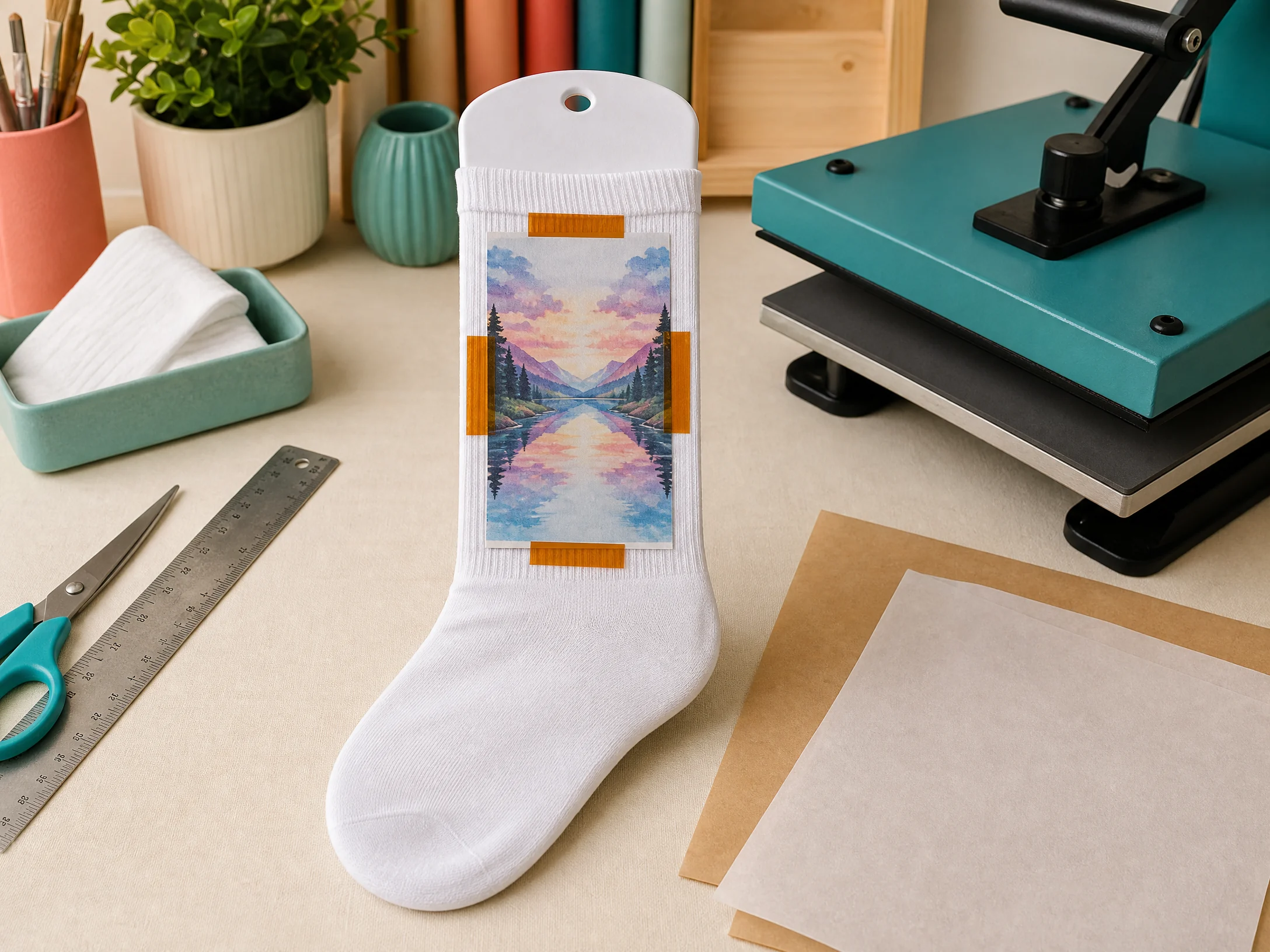
Place the transfer face down on the printable surface. Align the top, bottom, heel, toe, and side edges with your template or reference marks.
Secure the transfer with heat-resistant tape. Tape enough of the transfer to prevent movement, but avoid wrapping excessive tape around the sock or placing tape where it can leave a mark.
9. Protect the sock and press
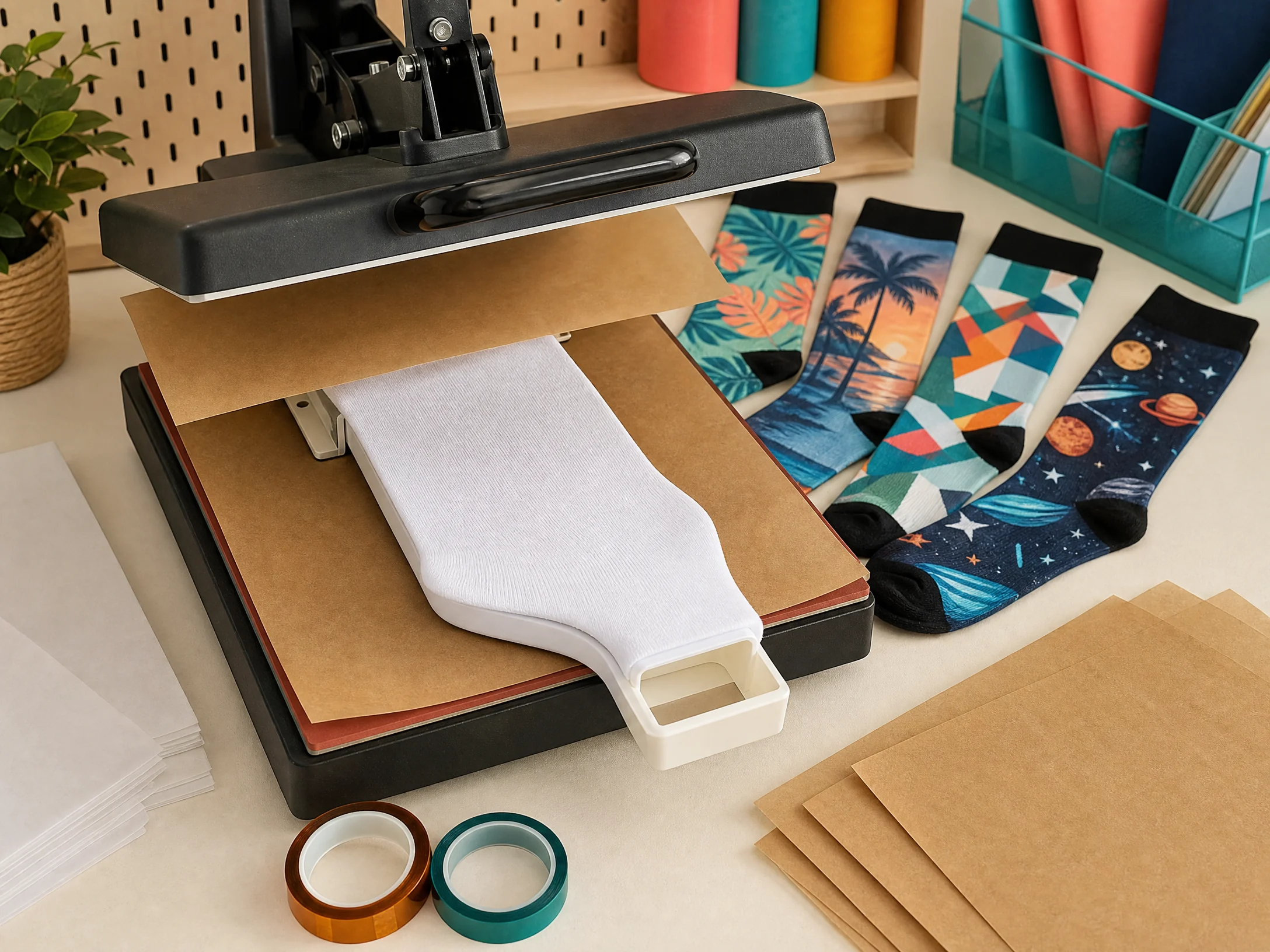
Place protective paper or a finishing sheet above and below the sock. The paper protects the heat press from ink transfer and helps keep the setup clean.
Press using the sock manufacturer’s recommended temperature, time, and pressure. Keep the jig and sock positioned flat and stable.
10. Remove the sock carefully
Use heat-resistant gloves if needed. Remove the sock and transfer according to the blank instructions.
Avoid sliding the transfer across the hot fabric. Sliding can create ghosting or a doubled outline. If the instructions call for cooling before peeling, place the sock on a clean, flat, heat-safe surface.
11. Press the opposite side if needed
For a wraparound or two-sided design, allow the sock to cool as directed. Reposition the sock on the jig, align the second transfer, tape it securely, and press the second area using the blank’s instructions.
Keep a placement guide so the design lines up across the front, side, and back.
12. Inspect and finish
Check the sock for:
- Even color
- Complete coverage
- Sharp edges
- Correct orientation
- Seam alignment
- Fading or white spots
- Press marks
- Ghosting
- Stretch-related distortion
Do not package a bulk order until the first test sock has cooled and passed inspection.
Sublimation Socks Time and Temperature Settings
Use the blank manufacturer’s instructions as the primary reference. The following table is a practical starting guide, not a universal recipe.
| Sock or fabric type | Starting temperature | Starting time | Pressure | Notes |
|---|---|---|---|---|
| Polyester sublimation socks | 385–400°F / 196–204°C | 35–45 seconds | Medium | Test the exact sock knit and jig setup |
| Thin polyester ankle socks | Around 385°F / 196°C | 35–45 seconds | Light to medium | Avoid overpressing thin fabric |
| Standard polyester crew socks | Around 400°F / 204°C | Around 45 seconds | Medium | Use a jig for a smooth printable surface |
| Polyester-blend sublimation socks | 380–400°F / 193–204°C | 40–60 seconds | Medium | Lower polyester may produce softer colors |
| Neoprene-style sock or lanyard blank | Around 400°F / 204°C | Around 45–50 seconds | Medium | Follow the product-specific instructions |
Sawgrass lists polyester fabric at 400°F for 45 seconds with medium pressure and describes the chart as a starting place that should be adjusted according to the substrate manufacturer’s instructions.[2] Sock Club discusses a typical 380–400°F range, 35–45 second pressing window, and medium-firm pressure for many polyester sock workflows.[1]
Do not copy a shirt, mug, tumbler, or mouse-pad setting without testing. Socks are flexible knitted products, and the jig, seams, thickness, and pressure distribution can change the result.
For broader substrate comparisons, see our Sublimation Heat Press Settings guide and Sublimation Temperature Chart.
How to Size Sublimation Sock Designs
There is no single universal sublimation sock design size. The correct size depends on the sock style, jig, printable panel, and whether the artwork is front-only or wraparound.
Use a template when available
A sock template may show:
- Front printable panel
- Back printable panel
- Heel and toe boundaries
- Cuff safe area
- Seam locations
- Left and right sock orientation
- Bleed and safe zones
Keep important details inside the safe area. Background patterns can extend farther than names, faces, and logos.
Measure the sock on the jig
Put the sock on the jig before measuring. The printable dimensions can change when the sock is stretched over the form.
Measure the usable width and height while the sock is held at the same tension you will use during pressing. Do not pull the fabric so tight that the final design will look distorted when the sock is worn normally.
Design for stretching
A sock design should remain recognizable when the fabric stretches. Use larger lettering, wider shapes, and enough spacing between elements.
For a pair, make sure the left and right designs match in scale and placement. If a pattern is directional, check whether one sock needs a flipped or rotated version.
How to Sublimate Crew Socks
Crew socks are a common beginner project because they offer a reasonably long printable area.
- Slide the sock over the correct jig.
- Smooth the front panel and align the cuff and heel.
- Measure the printable section.
- Create a design with a safe margin from the cuff and heel.
- Mirror and print the transfer.
- Tape it face down to the sock.
- Cover the setup with protective paper.
- Press using the sock maker’s tested settings.
- Cool and peel according to the instructions.
- Repeat on the back or opposite sock if required.
Keep important logos away from the seam. A seam can create uneven contact and may interrupt fine details.
How to Sublimate Ankle Socks
Ankle socks have a smaller printable area, so simplify the artwork. A bold monogram, icon, short word, or small repeating pattern is usually more successful than a detailed illustration.
Measure the distance between the cuff and heel. Keep artwork away from the elastic cuff if it is not listed as printable, and avoid assuming that the toe or heel can accept the same transfer as the main panel.
How to Sublimate Tube Socks
Tube socks may allow a longer wraparound design, but the fabric must remain evenly supported. Use a jig that fills the sock without creating excessive stretch.
For a wraparound pattern:
- Create enough bleed to avoid a thin unprinted line.
- Keep faces, names, and logos away from the seam.
- Mark the starting point and ending point.
- Test the wrap alignment on one sock.
- Press in sections only when the supplier’s instructions support that method.
Common Sublimation Sock Problems
Why are my sublimation socks faded?
Fading can come from low polyester content, an incompatible blank, insufficient heat, insufficient time, incorrect pressure, damp paper, or a printer color-management problem.
Start by confirming that the sock is made for sublimation. Then test the blank using the manufacturer’s settings before making large temperature changes.
Why did the design come out blurry?
The transfer moved during pressing. Improve the tape placement, reduce loose paper around the design, stabilize the jig, and lift the transfer straight up after pressing.
Why do I have a white line or unprinted edge?
The transfer may be too small, the sock may have shifted, or the printable area may be smaller than the design canvas. Use the supplier template and add bleed only where the sock construction allows it.
Why is the design distorted when the sock is worn?
The artwork may have been designed on a flat canvas without accounting for stretching. Use larger elements, avoid tiny text, and test the design while the sock is stretched over the jig and when it returns to its normal shape.
Why did I get press marks?
Excessive pressure, a sharp seam, the edge of a jig, or pressing directly over a raised area can create a mark. Use an appropriate jig or pressing pillow and follow the blank maker’s instructions.
Why did the sock scorch or become shiny?
The temperature, time, or pressure may be too high for the sock construction. A protective sheet or finishing sheet may also be missing. Stop production and test a fresh blank using lower-risk settings recommended by the supplier.
Why does the pattern not line up on both sides?
The sock or transfer moved, the jig was not aligned, or the design did not include a consistent reference point. Add registration marks outside the final printable area and use the same jig position for both sides.
How to Sublimate Socks Without a Sock Jig
A jig provides the most repeatable setup, but a beginner may sometimes use a firm, flat support if the blank manufacturer permits it. The support must withstand the press temperature and should not create ridges, pressure marks, or unsafe contact.
Without a jig, it is harder to:
- Keep the knit surface flat
- Repeat the same placement
- Maintain consistent pressure
- Avoid seams and heel transitions
- Press a wraparound design evenly
For one-off testing, use the blank supplier’s recommended method. For customer orders or repeat production, a compatible sock jig usually saves time and reduces misalignment.
Selling Custom Sublimation Socks
Custom socks can work well for:
- Sports teams
- Family reunions
- Weddings and bridal parties
- School events
- Corporate gifts
- Holiday gifts
- Pet portraits
- Birthday parties
- Craft fairs
- Matching product bundles
When pricing socks, include more than the blank and ink. Factor in design time, template setup, printing, trimming, taping, pressing, packaging, and failed-test pieces.
A stock pattern can be produced efficiently across multiple orders. A one-off logo or personalized name should include the extra setup time. For broader business planning, see our How to Start a Sublimation Business guide.
Care Instructions for Sublimation Socks
Sublimated polyester socks are designed to keep the design within the fibers rather than leaving a thick surface layer. However, the sock’s knit, elastic, and construction still determine its durability.
Recommend that customers:
- Follow the sock manufacturer’s washing instructions.
- Avoid harsh bleach unless the product instructions allow it.
- Use normal or gentle washing conditions appropriate for the sock.
- Avoid excessive heat if the care label warns against it.
- Turn detailed socks inside out when practical to reduce abrasion.
Do not promise identical durability for every polyester blend or blank.
Frequently Asked Questions
Can you sublimate on cotton socks?
Standard dye sublimation is designed for polyester or a compatible coated surface, not ordinary cotton. Use a sublimation-specific sock blank or a different decoration process for cotton socks.
What percentage polyester should sublimation socks be?
A higher polyester content generally produces brighter results, but the blank must also be designed or coated for sublimation. Follow the product listing and test the exact sock instead of relying only on a percentage label.
Do you mirror designs for sublimation socks?
Usually, yes. Mirror the design when the transfer is placed printed-side-down against the sock. Always test text and directional artwork before production.
What temperature do you use for sublimation socks?
A common starting range is approximately 385–400°F, but the correct setting depends on the sock blank, knit, coating, jig, press, and transfer materials. Follow the blank maker’s instructions first.
How long do you press sublimation socks?
Many workflows start around 35–60 seconds. Sock Club describes a common 35–45 second range, while Sawgrass lists 45 seconds for polyester fabric. Test the exact blank before a batch order.[1][2]
Do sublimation socks need a heat press?
A heat press provides the most consistent pressure and temperature. A jig or form can help keep the sock surface stable. Use the equipment and method recommended for the specific blank.
Can you sublimate both sides of a sock?
Yes, if the printable area and sock construction support it. Press each area separately when required, using a placement guide so the front, back, and side artwork lines up.
Why is my sock design stretched?
The design may be too detailed or may have been sized without accounting for the fabric’s stretch. Simplify the artwork and test it both on the jig and in its relaxed, wearable shape.
Final Sublimation Sock Checklist
Before pressing a customer order, confirm that:
- The socks are compatible with sublimation.
- The printable area is white or light and has enough polyester.
- The jig matches the sock style.
- The artwork is sized to the actual printable area.
- Text and directional artwork are mirrored correctly.
- The transfer is trimmed and taped securely.
- Protective paper is above and below the sock.
- The settings match the blank manufacturer’s instructions.
- You tested one sock before starting the full batch.
- The transfer will be lifted rather than slid after pressing.
- The sock has cooled before final inspection and packaging.
Sublimation socks become much easier when the fabric is supported, the artwork is kept simple, and the settings are tested for the exact blank. Start with one pair, record what works, and use that tested setup for future orders.