Yes, you can sublimate on a colored polyester shirt—but the shirt color will affect the final design.
The most important detail is that 100% polyester solves the fiber-compatibility problem, not the color-opacity problem. Sublimation ink dyes the fabric. It does not create an opaque layer on top, and standard sublimation printers do not print white ink. As a result, the color of the shirt can show through the design and change the finished colors.
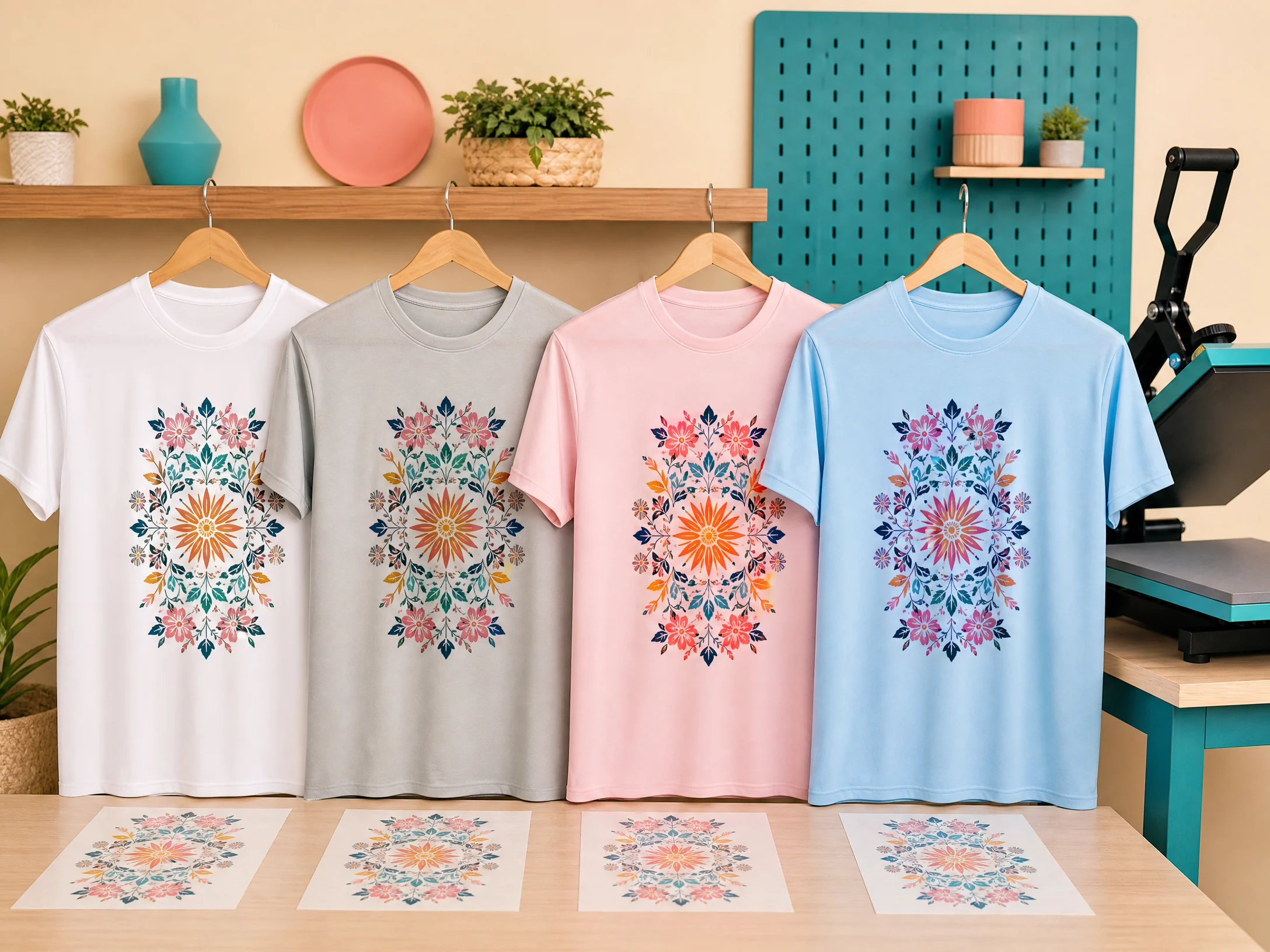
Light gray, pastel blue, pale pink, mint, and other light polyester shirts can work well when the artwork is designed for the garment color. Dark navy, black, burgundy, and other deep shades usually cannot produce a bright direct sublimation print because the shirt color overwhelms the translucent dye.
This guide explains how to sublimate on a 100% colored polyester shirt, how to choose the right shade, prepare the artwork, press the shirt, and avoid faded or muddy results.
Quick answer: Use a white or light-colored shirt made for sublimation, ideally 100% polyester. Expect the shirt color to blend visually with the sublimation ink. Design around the garment color, pre-press to remove moisture, mirror and tape the transfer, protect the shirt and press, and begin with the blank maker’s recommended settings. A common starting point for polyester apparel is 385–400°F for 45–60 seconds with medium pressure, but always test the exact shirt first.
Can You Sublimate on a Colored Polyester Shirt?
Yes, but not every color produces the same result.
A 100% colored polyester shirt can accept sublimation ink because the ink bonds with the polyester fibers. However, sublimation is a dye process rather than an opaque print process. The existing shirt color remains part of the visual result.
Sawgrass explains that a colored substrate can impact the final colors and that a high polyester count is important when sublimating fabric.[1] A colored shirt can make faces, skin tones, white areas, and pale graphics appear different from the design shown on a white monitor.
Light-colored polyester shirts
Light shirts are the best choice for direct sublimation. These may include:
- Light gray
- Heather gray designed for sublimation
- Pale pink
- Sky blue
- Mint green
- Lavender
- Cream or off-white
- Pale yellow
- Light peach
The lighter the garment, the more predictable the result. Even a light gray shirt changes the appearance of the artwork because the gray becomes the visual base behind the transparent dye.
Dark-colored polyester shirts
Black, dark navy, forest green, burgundy, and other deep colors generally do not work well with direct standard sublimation.
The problem is not that the shirt lacks polyester. The problem is that the dye is not opaque and white ink is not available in standard sublimation printing. White sections of the design will not print as white; they will show the shirt color instead.
If you need a bright design on a dark shirt, consider a different decoration process or a compatible specialty media such as sublimation HTV, if the product manufacturer confirms that it is suitable. Do not describe a direct print on a black shirt as ordinary sublimation.
Why Does the Shirt Color Change the Design?
Sublimation ink is translucent. It adds dye to the fabric rather than covering the original color with a solid layer.
For example:
- White artwork on a gray shirt appears gray.
- Yellow printed on a blue shirt can look greenish.
- Pale pink printed on a pink shirt may lose contrast.
- Skin tones can appear warmer, cooler, or muted.
- Pastel artwork may disappear into a similar shirt color.
- Dark shirt colors can make the entire design look muddy.
The Country Chic Cottage’s colored-shirt testing shows that 100% polyester gray and colored shirts can receive the transfer, but the garment color changes the appearance compared with a white shirt.[2]
Best Shirt Colors for Sublimation
White
White is the easiest and most predictable color. It gives the design the brightest base because the shirt does not add a competing hue.
Light gray
Light gray is one of the most useful colored options. It creates a soft, slightly vintage appearance while still allowing most colors and details to remain visible.
Pastels
Pastel shirts can work beautifully with coordinated artwork. Choose designs with darker outlines and enough contrast so the design does not blend into the shirt.
Heather colors
Heathered shirts require testing because the fabric may contain different yarns or blends, even when the product listing uses a polyester-focused name. Confirm the fiber content and whether the blank is intended for sublimation.
Bright or saturated colors
Bright pink, royal blue, orange, and similar shirts can receive dye, but they strongly influence the final palette. Use them only when the design is intentionally built around that color.
Black and dark colors
Dark garments are generally unsuitable for direct standard sublimation. Use an alternative decoration method or a compatible white-print media system instead.
What You Need to Sublimate on a Colored Polyester Shirt
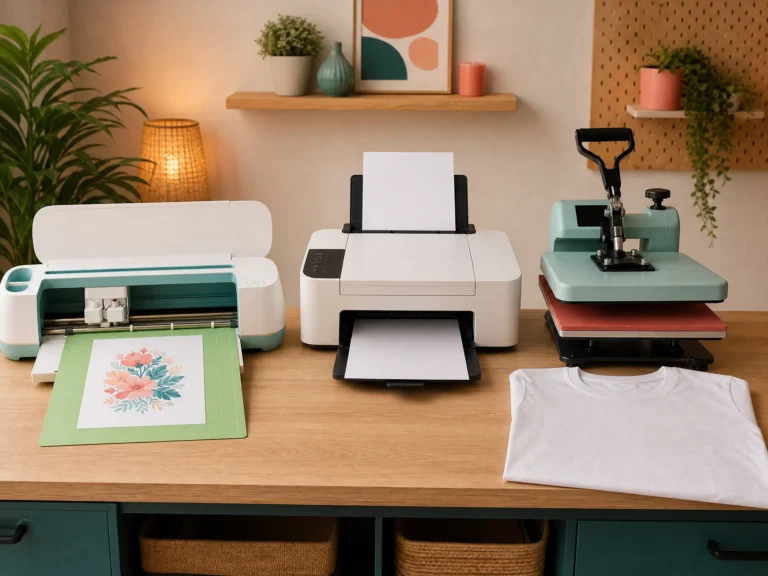
Gather these supplies:
- 100% polyester shirt made for sublimation
- Sublimation printer and ink
- Sublimation paper
- Flat heat press
- Heat-resistant tape
- Protective paper or butcher paper recommended for sublimation
- Lint roller
- Heat-resistant gloves
- Pressing pillow or pad
- T-shirt alignment ruler or template
- Clean, flat cooling surface
- Test shirt or fabric scrap from the same blank
For printer setup, see our Epson Sublimation Printer Settings guide. If you are new to the process, start with our Sublimation for Beginners guide.
How to Sublimate on a 100% Colored Polyester Shirt Step by Step
1. Choose a sublimation-compatible shirt
Read the product listing carefully. Confirm that the shirt is 100% polyester or a manufacturer-approved sublimation blank.
Do not rely on the word “performance” or “athletic” alone. Some performance shirts are polyester, while others contain blends or coatings that may respond differently to heat.
Check:
- Fiber content
- Shirt color
- Fabric weight
- Whether the shirt is intended for sublimation
- Recommended temperature and time
- Whether the shirt has seams or raised details in the print area
2. Test the garment color
Before accepting a large order, press a small color swatch or test design on the exact shirt. This shows how the garment color changes the printed artwork.
A design that looks perfect on white may need different artwork for gray, pink, blue, or green shirts.
3. Prepare the artwork for the shirt color
Do not design only against a white artboard. Place the artwork over a digital approximation of the shirt color so you can identify areas that may disappear.
For colored polyester shirts:
- Increase contrast between the artwork and shirt.
- Use dark outlines around light elements.
- Avoid white text unless you want it to become the shirt color.
- Avoid pale details on a similarly pale shirt.
- Choose complementary colors carefully.
- Use a simplified design when the shirt color is strong.
- Check skin tones and neutral areas before printing.
4. Size the design
Use a shirt template or measure the print area. A common adult front print may be around 10–12 inches wide, but the correct size depends on the shirt size, placement, and design.
Keep the artwork inside the printable area. For names, faces, logos, and important details, leave a safe margin from the collar, sleeves, side seams, and hem.
Our Sublimation Heat Press Settings guide includes general apparel considerations that can help with placement and pressing preparation.
5. Mirror the artwork
Mirror the design horizontally before printing. This is essential for names, dates, logos, and directional graphics because the transfer will be placed printed-side-down on the shirt.
Print a small test containing text before using a full sheet. A reversed name is one of the easiest mistakes to prevent.
6. Print on sublimation paper
Print on the coated side of the paper using sublimation ink. Follow the printer, ink, and paper manufacturer’s recommendations for color management.
The design may look pale or muted on paper. That is normal. Sublimation ink becomes much more vivid after the heat-transfer process.
7. Pre-press the shirt
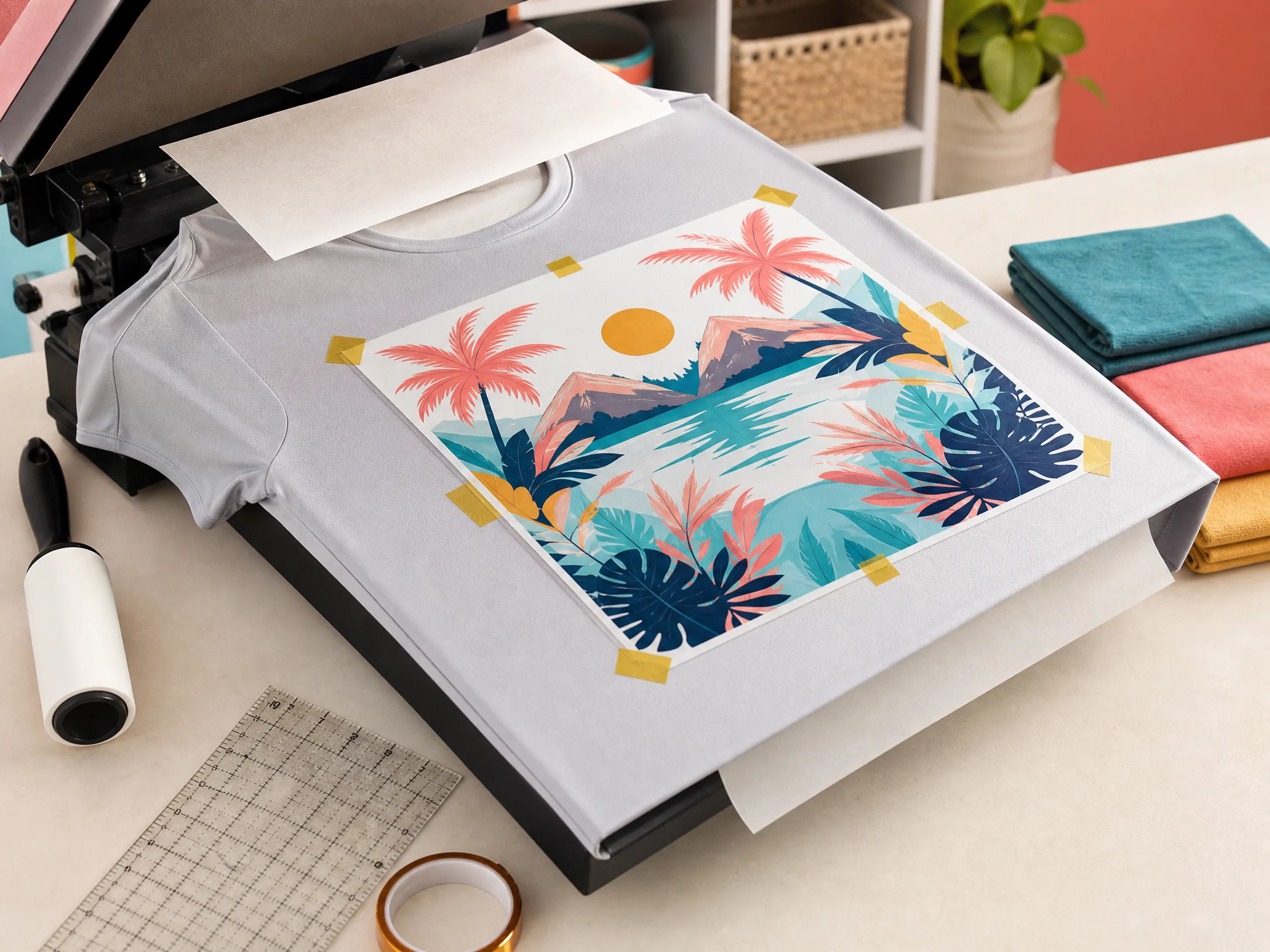
Place protective paper or a pressing sheet inside the shirt to prevent ink from transferring through the front to the back.
Pre-press the shirt briefly to remove moisture and flatten wrinkles. Joto recommends pre-pressing apparel for several seconds at the sublimation temperature range because moisture can cause ghosting, faded areas, and uneven transfer.[3]
Do not over-press the shirt. Use the blank maker’s recommended preparation step.
8. Lint-roll the print area
Run a lint roller over the shirt where the design will be placed. Small fibers, hair, and dust can create light spots or missing areas in the transfer.
Check the shirt again after positioning the pressing pillow because lint can collect on the fabric during handling.
9. Position and tape the transfer
Place the mirrored transfer face down on the shirt. Use a ruler or template to align the design with the collar and side seams.
Secure the transfer with heat-resistant tape. Tape the corners and edges without placing unnecessary tape over the print area.
Do not use ordinary office tape. It can melt, leave residue, or fail to hold during pressing.
10. Add protective paper
Place a clean protective sheet over the transfer. Keep the protective sheet large enough to cover the full design and protect the heat press platen.
Use a clean sheet inside the shirt as well, especially when the artwork has heavy ink coverage.
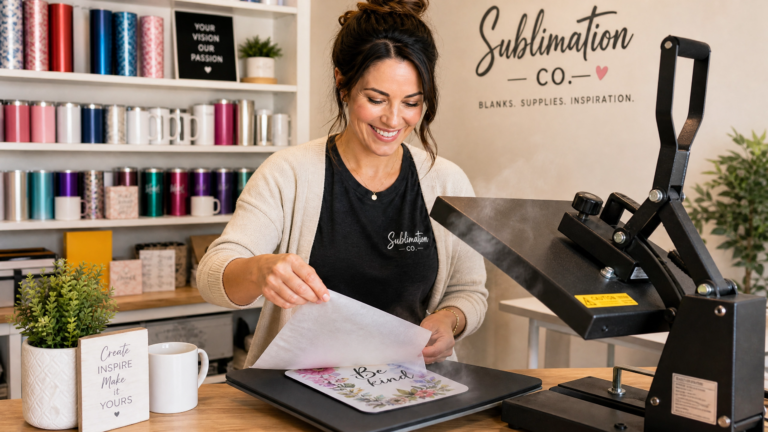
11. Press the shirt
Set the heat press according to the shirt blank’s instructions. A common starting range for polyester shirts is 385–400°F for 45–60 seconds with medium pressure, but the exact setting depends on the shirt, paper, ink, and press.
Keep the shirt flat and make sure seams, collar edges, buttons, zippers, and thick hems are not under the design area.
12. Remove the transfer
Use heat-resistant gloves if necessary. Remove the transfer according to the paper and shirt instructions.
If the recommended method is a hot peel, lift the paper promptly and smoothly. If the blank instructions call for cooling first, allow the shirt to cool on a flat surface.
Do not slide the transfer across the shirt because movement can create ghosting or a double image.
13. Inspect the finished shirt
Check the final design for:
- Accurate color expectations for the shirt shade
- Complete transfer
- Sharp edges
- No ghosting
- No press marks
- No visible lint spots
- Correct placement
- No ink bleed-through on the back
Colored Polyester Shirt Settings
Use the shirt manufacturer’s settings as the primary reference. The table below is a starting framework, not a universal recipe.
| Shirt type | Starting temperature | Starting time | Pressure | Notes |
|---|---|---|---|---|
| 100% white polyester shirt | 385–400°F / 196–204°C | 45–60 seconds | Medium | Most predictable color result |
| 100% light gray polyester shirt | 385–400°F / 196–204°C | 45–60 seconds | Medium | Gray will affect white and light artwork |
| 100% pastel polyester shirt | 385–400°F / 196–204°C | 45–60 seconds | Medium | Coordinate the design with the shirt hue |
| 100% bright colored polyester shirt | 385–400°F / 196–204°C | 45–60 seconds | Medium | Test because the color strongly changes the design |
| Performance polyester with stretch | Follow blank maker | Follow blank maker | Light to medium | Avoid excessive pressure and stretch marks |
Sawgrass lists polyester fabric at 400°F for 45 seconds with medium pressure as a starting point and emphasizes testing, calibrated equipment, suitable substrates, and manufacturer instructions.[4]
Joto gives a broader apparel starting range of 385–400°F for 45–60 seconds with medium pressure, while noting that performance fabrics may require reduced pressure.[3]
For more material references, review our Sublimation Temperature Chart.
How to Design for a Colored Polyester Shirt
Use a color-aware mockup
Create a mockup showing the actual shirt color. This helps you predict how the shirt will affect white and pale areas.
If the shirt is light gray, replace white in the mockup with gray. If the shirt is pale pink, place the artwork over a pale pink base. The preview will not be perfect, but it is more useful than previewing everything on white.
Build contrast into the design
Use dark outlines, deeper shadows, or a contrasting border around small artwork. This is especially helpful for white, yellow, pale blue, and light pink details.
Avoid relying on white ink
Standard sublimation printers do not print white. White portions of your artwork become the color of the shirt.
If your design contains a white logo on a pink shirt, the logo will appear pink—not white. Plan the design around this limitation.
Use transparent backgrounds carefully
A transparent or empty area in the artwork reveals the shirt color. This can be useful for intentional vintage or tone-on-tone effects, but it can also make a design look incomplete if you expected a solid white background.
Simplify dark designs for colored shirts
Complex illustrations with many pale colors may lose detail on a colored base. Bold shapes, strong outlines, and a limited palette often produce a cleaner finished shirt.
Can You Sublimate on a Black Polyester Shirt?
Not directly with ordinary sublimation ink in the same way you would print on a white or light shirt.
The shirt may be 100% polyester, but black fabric absorbs or overwhelms the translucent dye. White sections cannot be printed as opaque white because standard sublimation printers do not use white ink.
For a dark garment, consider:
- A compatible sublimation HTV or specialty white base
- DTF transfers
- Screen printing
- White toner transfer
- Another decoration method recommended for the garment
Choose the process based on the shirt, desired finish, wash durability, and equipment available. Do not increase the sublimation temperature to try to force bright color onto a black shirt.
Can You Sublimate on a Gray Polyester Shirt?
Yes. Light gray is one of the most practical colored options for sublimation.
The result will not match the same design on a white shirt because the gray shows through the ink. White areas appear gray, and light colors may become muted. Use a dark outline or contrast border when necessary.
A gray shirt can be an excellent choice for a soft, vintage, or fashion-style design where a slightly altered palette is intentional.
Common Problems With Colored Polyester Shirts
Why does my print look dull?
The shirt color may be reducing contrast, the polyester content may be incorrect, or the press may not be transferring evenly. Compare the same design on white and light-colored fabric.
If the print is dull on every shirt, check the printer nozzle pattern, color-management settings, paper, ink, press temperature, time, and pressure. Sawgrass recommends beginning color troubleshooting with a nozzle check and reviewing the blank, press, and color workflow.[1]
Why did white disappear?
Standard sublimation does not print white ink. White areas reveal the shirt color. This is expected and must be considered during design.
Why do the colors look different from the screen?
The screen displays light using RGB pixels. Sublimation adds translucent dye to a colored textile. The garment color, printer profile, paper, ink, and heat press all affect the final appearance.
Why is my colored shirt uneven?
Uneven results may come from moisture, wrinkles, lint, uneven pressure, seams, a poorly calibrated press, or an incompatible shirt. Pre-press, use a pressing pillow where appropriate, and test the same blank across the press area.
Why did the design move or ghost?
The transfer shifted during pressing. Use heat-resistant tape, keep the shirt flat, avoid sliding the paper, and remove the transfer according to the recommended peel method.
Why are there light spots?
Lint, hair, moisture, or debris can prevent ink from reaching the fabric. Lint-roll the shirt, pre-press to remove moisture, and keep the transfer and protective sheets clean.
Why is the shirt shiny or marked?
Too much pressure, a hot platen edge, uneven seams, or excessive time can create press marks. Reduce pressure only within the blank maker’s safe range and use a pressing pillow to keep seams away from the print zone.
How to Wash a Sublimated Polyester Shirt
Follow the shirt manufacturer’s care label first. As general care guidance:
- Wash according to the garment label.
- Avoid harsh bleach unless the label allows it.
- Use a suitable wash temperature for the polyester fabric.
- Avoid unnecessary high heat in the dryer.
- Turn the shirt inside out to reduce surface abrasion when practical.
- Do not iron directly over the printed design.
A high-polyester sublimation print is dyed into the fibers rather than sitting as a thick layer on top. However, the garment itself can still shrink, stretch, pill, or wear from repeated washing and heat.
Pricing Colored Polyester Shirt Orders
Colored shirts can require more testing than white shirts because each garment shade changes the final design. Include that extra work in your pricing.
Consider charging for:
- Shirt blank
- Sublimation paper and ink
- Design preparation
- Color testing
- Pressing time
- Packaging
- Failed test pieces
- Special placement or oversized artwork
- Multiple shirt colors in one order
If a customer requests the same design on white, gray, pink, and blue shirts, show a mockup or approve a test sample before producing the full order. The colors will not look identical across the garments.
For broader business planning, read our How to Start a Sublimation Business guide.
Frequently Asked Questions
Can you sublimate on a 100% colored polyester shirt?
Yes, if the shirt is compatible with sublimation. The color will affect the final design because sublimation ink is translucent and standard sublimation does not print white ink.
What color polyester shirt is best for sublimation?
White gives the brightest and most predictable results. Light gray and pastel shirts can also work well when the design is created for the garment color.
Can you sublimate on black polyester?
Not directly with standard sublimation ink. Black and other dark colors generally overwhelm the translucent dye. Use a compatible specialty media or another printing method for dark shirts.
Does 100% polyester mean the colors will be bright?
No. 100% polyester helps the ink bond to the fibers, but the shirt color still affects the appearance. A light shirt may produce good results, while a dark shirt can make the design look muddy.
Is sublimation on gray shirts possible?
Yes. Light gray polyester shirts can sublimate well, but white areas become gray and the overall palette will be different from the same design on white.
What temperature do you use for colored polyester shirts?
A common starting range is 385–400°F for 45–60 seconds with medium pressure. Follow the specific shirt blank instructions and test before production.
Do you mirror the design for a polyester shirt?
Yes. Mirror the artwork before printing because the transfer is placed face down on the shirt.
Why are my colored polyester shirt prints faded?
Possible causes include a dark shirt color, low polyester content, moisture, lint, incorrect press settings, uneven pressure, printer color-management problems, or an incompatible blank.
Final Checklist
Before pressing a 100% colored polyester shirt, confirm that:
- The shirt is truly 100% polyester or a confirmed sublimation blank.
- The color is light enough for direct sublimation.
- You understand that white areas will become the shirt color.
- The artwork has enough contrast for the garment shade.
- The design has been mirrored.
- The shirt has been pre-pressed and lint-rolled.
- Protective paper is inside and above the shirt.
- The transfer is taped securely.
- The settings match the shirt manufacturer’s instructions.
- You tested the exact shirt color before a full order.
The best results come from treating the shirt color as part of the design rather than as a neutral background. White and light polyester shirts are the easiest starting point, while gray and pastel garments can create beautiful results when the artwork is adjusted for the fabric.